Administration
All pages — the map of the admin site
What it is. One page that shows the whole admin site: how many pages there are, each page with a picture, what it does, and both its addresses (English and Urdu). Below them: the old addresses that now open the website, the website pages you use (English, Urdu, Arabic) and a few other addresses. Nothing to remember — everything is one press away.
Who sees it. Anyone who opens it — it holds no account data, only the pages. Each page itself shows its data only after you sign in.
Step 1 — Open it
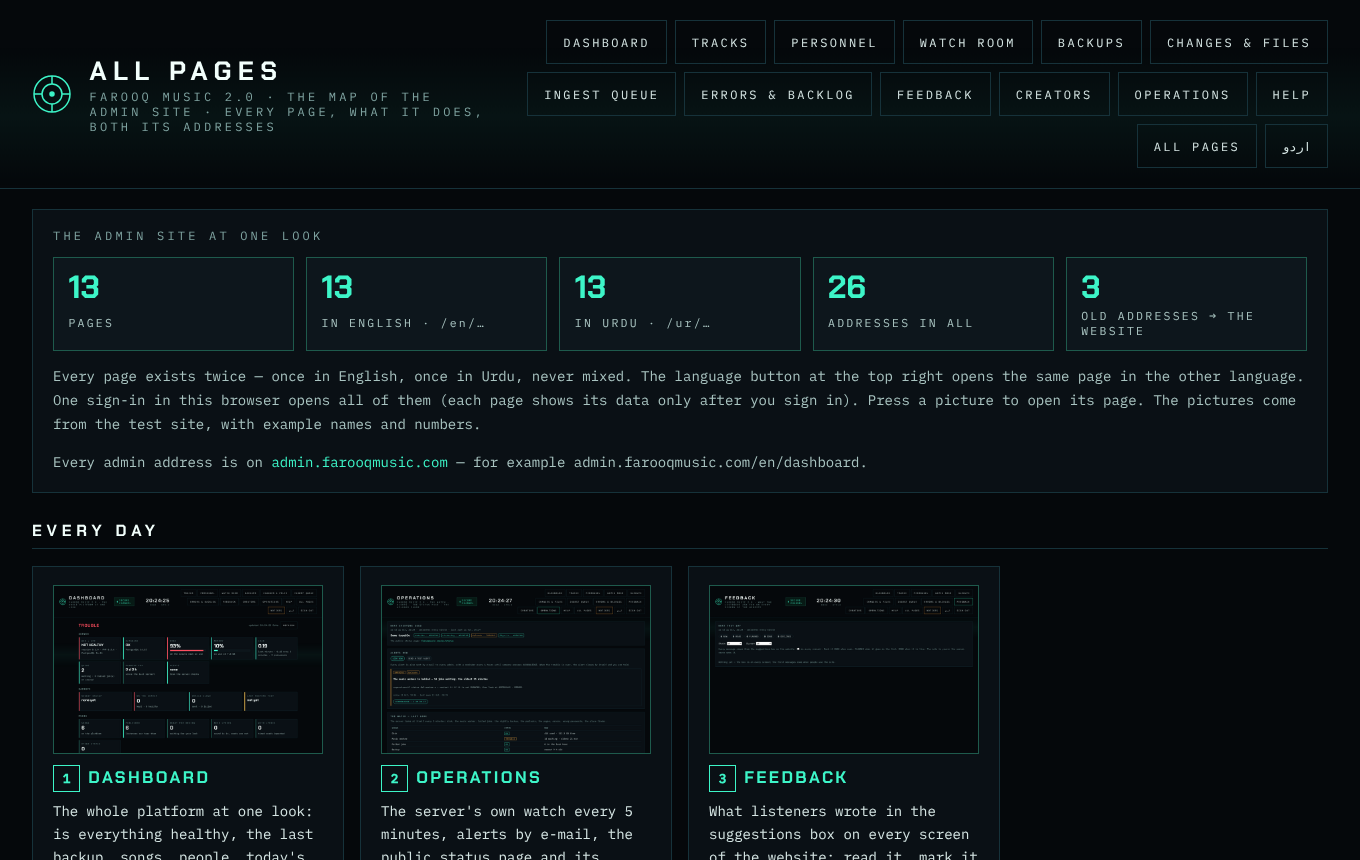
Press All pages (group Help) in the side menu of any admin page, or open admin.farooqmusic.com/en/pages (Urdu: admin.farooqmusic.com/ur/pages). The top of the map counts the pages: how many pages, how many in English, how many in Urdu, how many addresses in all.
Step 2 — Find a page
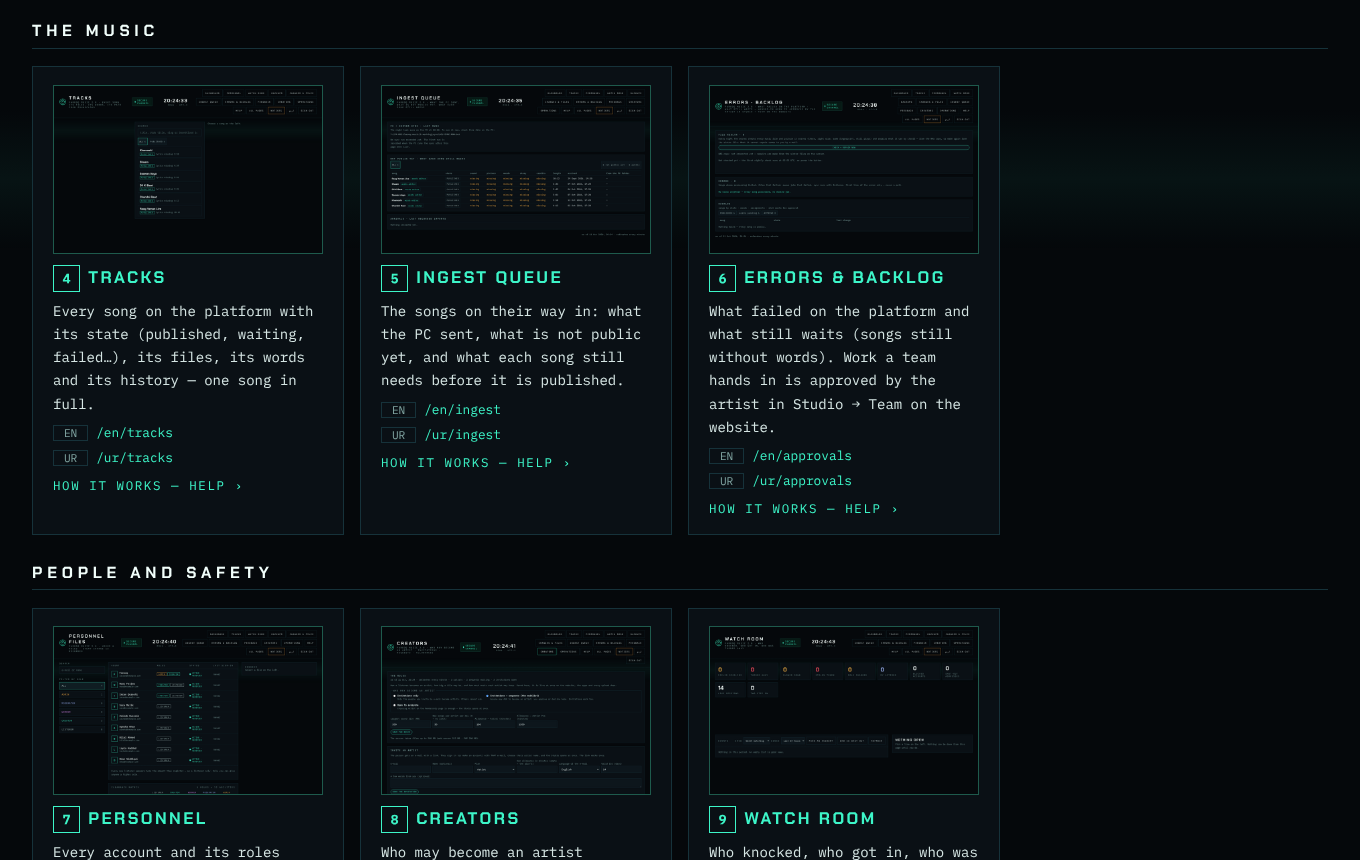
The pages are in the groups of the side menu — Home · Music · People · Server · Help. Each card has the page's picture (press it to open the page), its number and name, two lines on what it does, its English and Urdu addresses, and HOW IT WORKS — HELP for its article.
Step 3 — The website and the old addresses
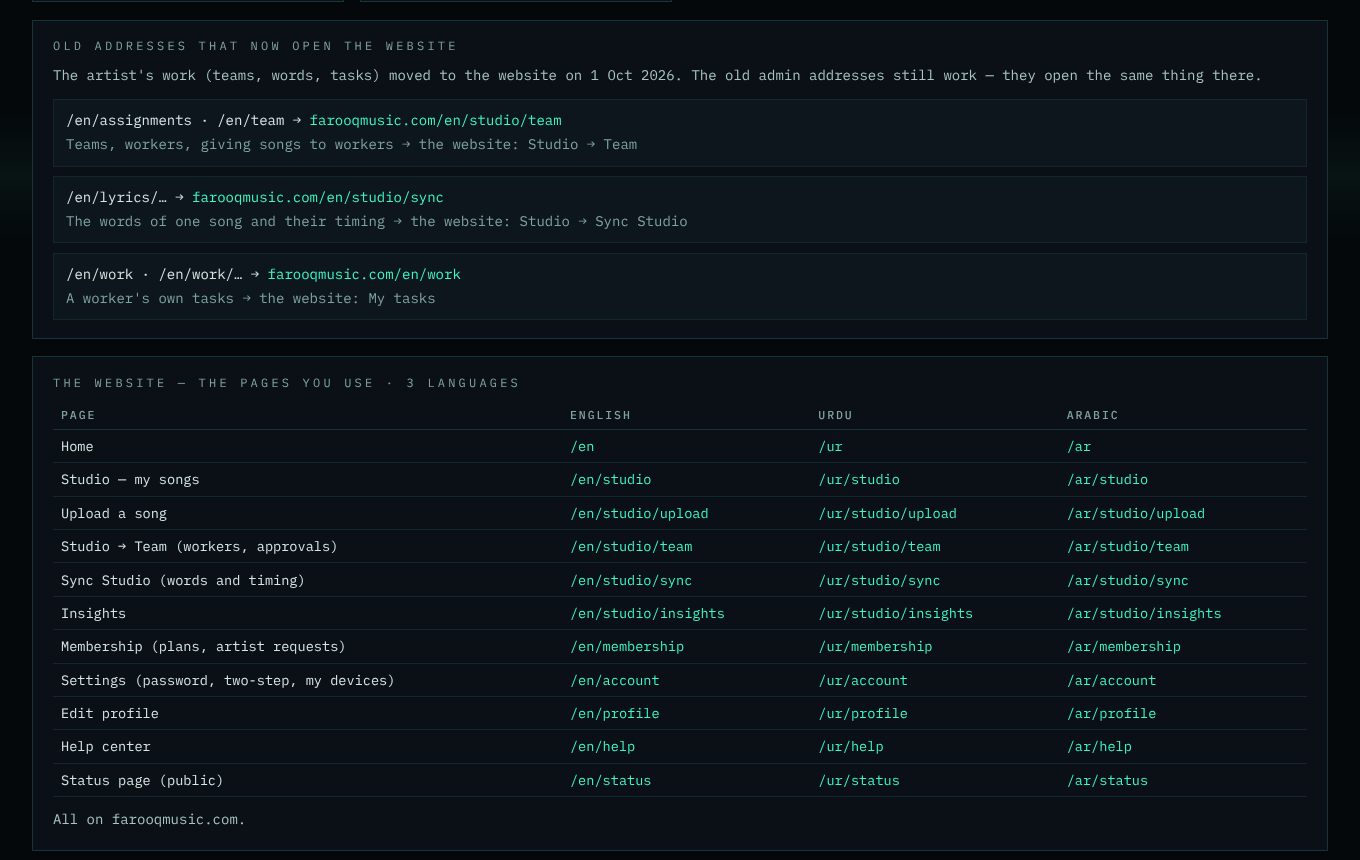
Further down: the old admin addresses that now open the website (teams, words, tasks moved there on 1 Oct 2026), the website pages you use in all three languages, and the other addresses (forgot password, the server check, the status page).
When a page is added. A new admin page is added to this map in the same update — the self-test refuses an admin page that is not on it, or one without its picture.