Accounts & security
Security — who knocked, who got in
What it is. The security desk. Every sign-in and failed attempt, addresses that were shut out for too many tries, every open session (device) of every account. Actions, each with a written reason: end one session, sign an account out everywhere, block or unblock an account, block or lift an address, force a new password (the old one stops working and a reset mail goes out). The locked drawer (reveal) shows a raw address only with a reason, and the opening is recorded.
Open it: admin.farooqmusic.com/en/security
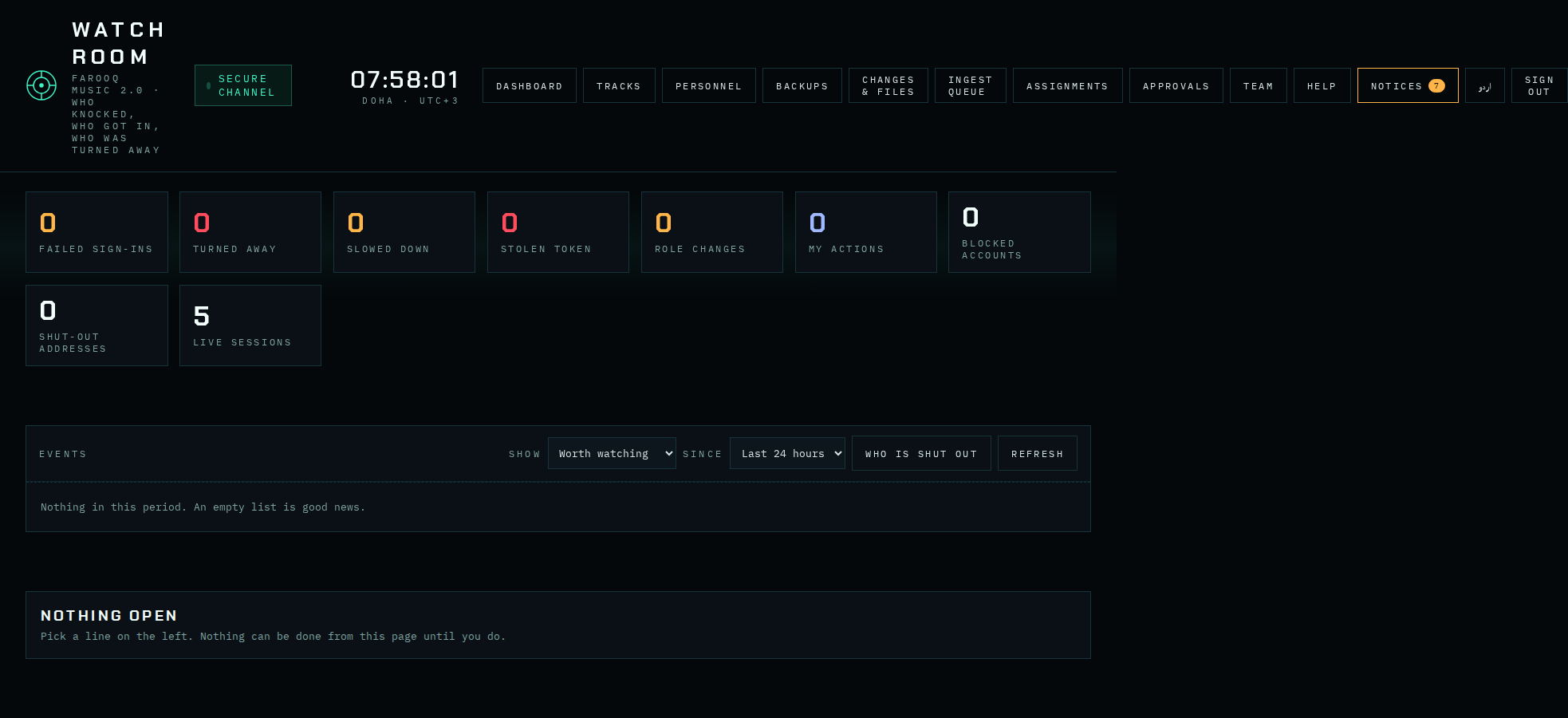
A person wrote in — find the account
Someone writes to support@farooqmughal.net: the account is blocked, the password is forgotten, or the phone with the authenticator app is lost together with the backup codes.
- Press FIND AN ACCOUNT and type the e-mail the person wrote from.
- Check that this e-mail is exactly the account's own e-mail shown on the card. If the mail came from any other address, do nothing — ask the person to write from the account's own e-mail.
- On the card you see the status (blocked until when), whether the e-mail is confirmed, whether two-step sign-in is on, how the person signs in (e-mail, Google, Apple), live sessions and failed sign-ins in the last 24 hours.
- Pick the action, write the reason, confirm:
- LIFT THE BLOCK — the account was blocked.
- FORCE A NEW PASSWORD — a link to set a new password goes to the account's own e-mail.
- E-MAIL A TWO-STEP RESET LINK — the best choice for a lost phone: a one-time link goes to the account's own e-mail (works once, for 60 minutes). Only the person who can open that mailbox can switch two-step sign-in off. The mail is in the account's language.
- SWITCH OFF TWO-STEP SIGN-IN — at once, without a link; only when you are sure.
Every action is written to the record with your reason. You can never act on your own account here.