Getting started
Become an artist
What it is. An artist on Farooq Music has an own artist page, the Studio and Upload. While the platform is young, the team decides who becomes an artist, so that every song here is cared for. There are three ways; the team chooses which ones are open today, and the website always shows you the right one.
Way 1 — Ask (the waitlist)
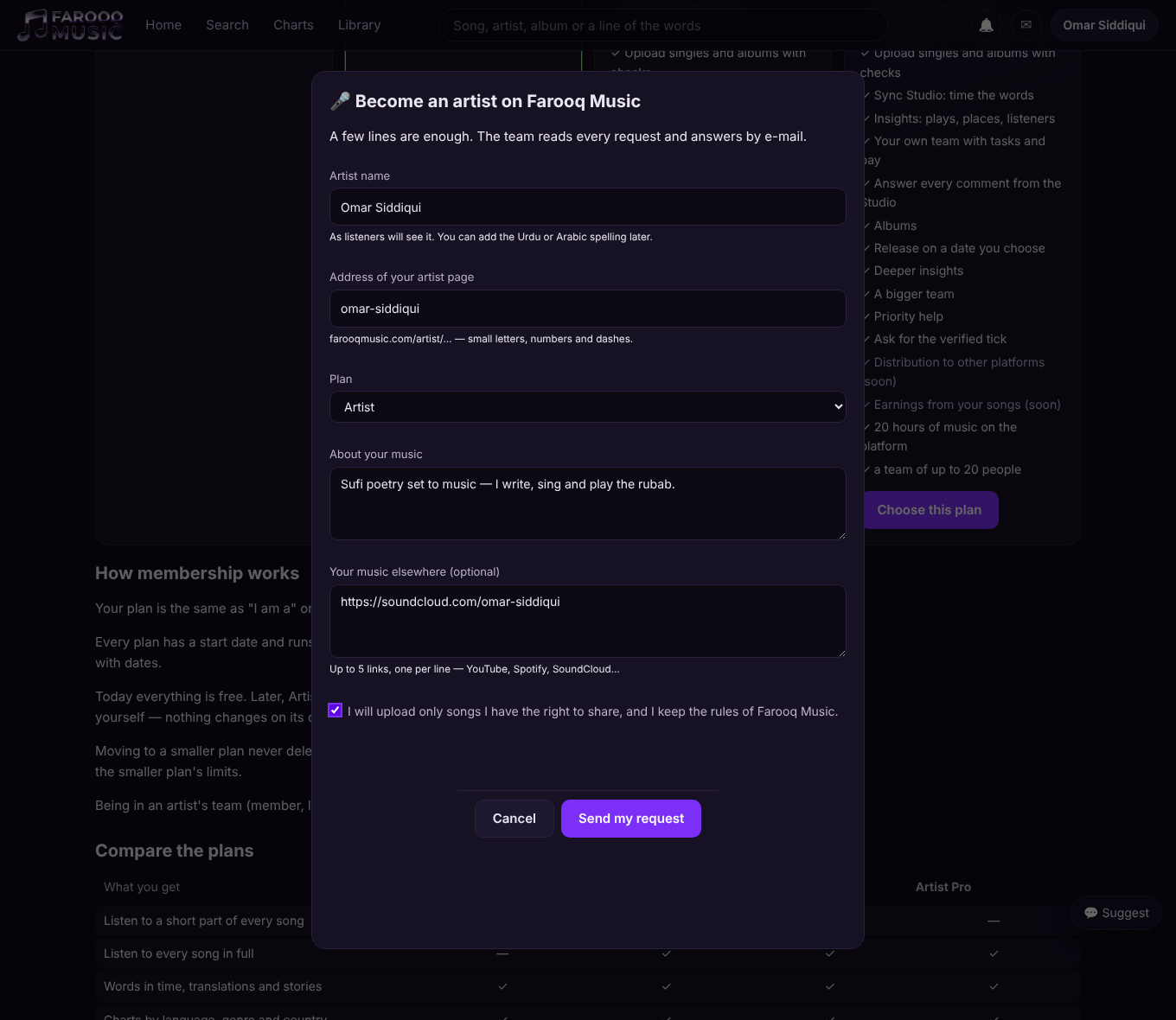
- Sign in, open Membership and press Choose this plan on Artist (or open Studio).
- A short form opens: your artist name, the address of your artist page (farooqmusic.com/artist/…), the plan, a few lines about your music, and up to 5 links to your music elsewhere.
- Tick the promise (only songs you have the right to share) and press Send my request.
- The answer comes by e-mail and in your notices. Yes → your artist page is made, the Studio opens, press Upload. No → you read the reason, and you may change your request and send it again.
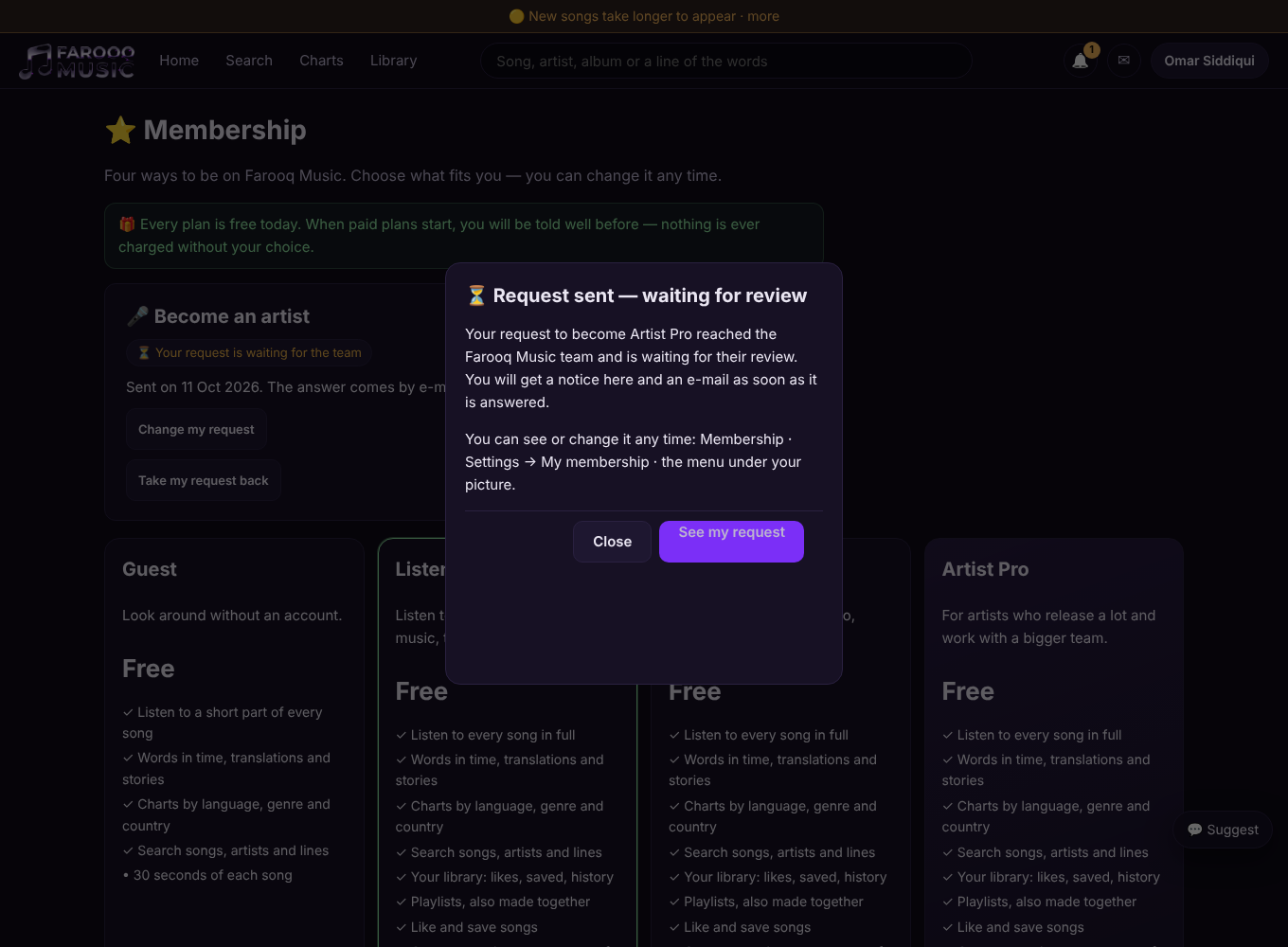
When the request is sent, a box says so plainly — Request sent — waiting for review — and a notice and an e-mail confirm that it arrived.
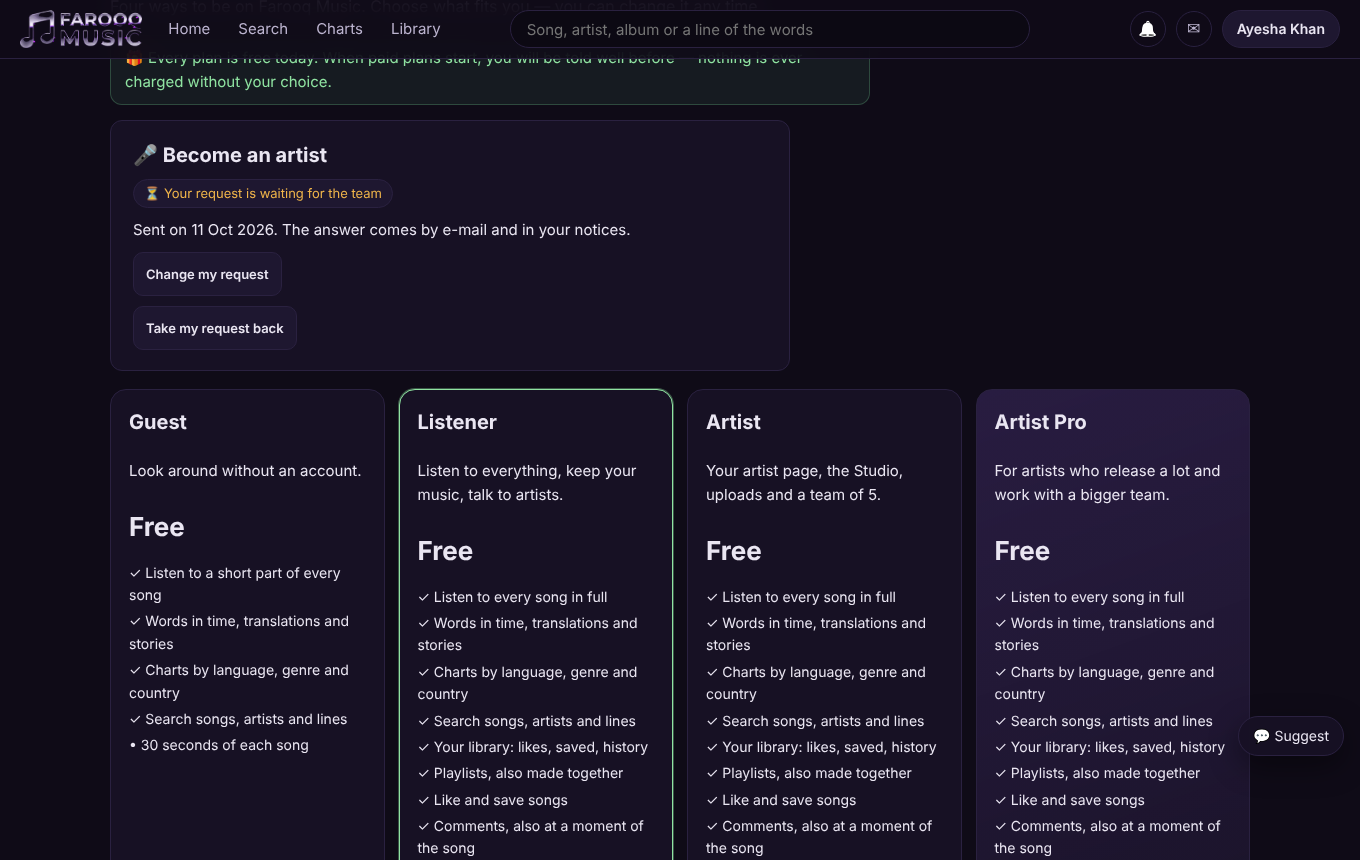
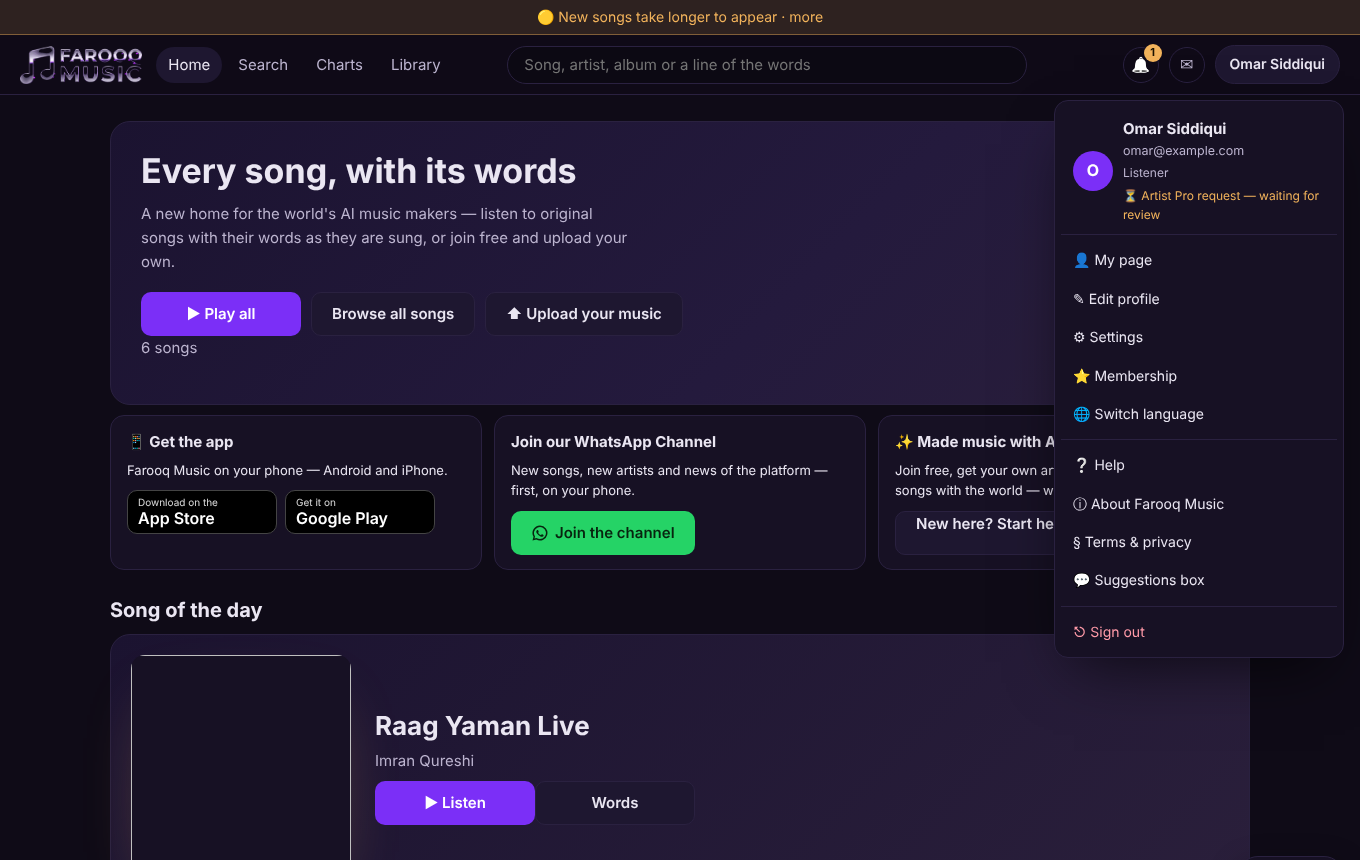
While you wait, the request shows as waiting for review on your profile (under I am a), in Settings → My membership, in the menu under your picture, and on Membership — the plan you asked for says Requested. On Membership you can change or take back your request. Your e-mail must be confirmed first (Settings → send the confirmation link again).
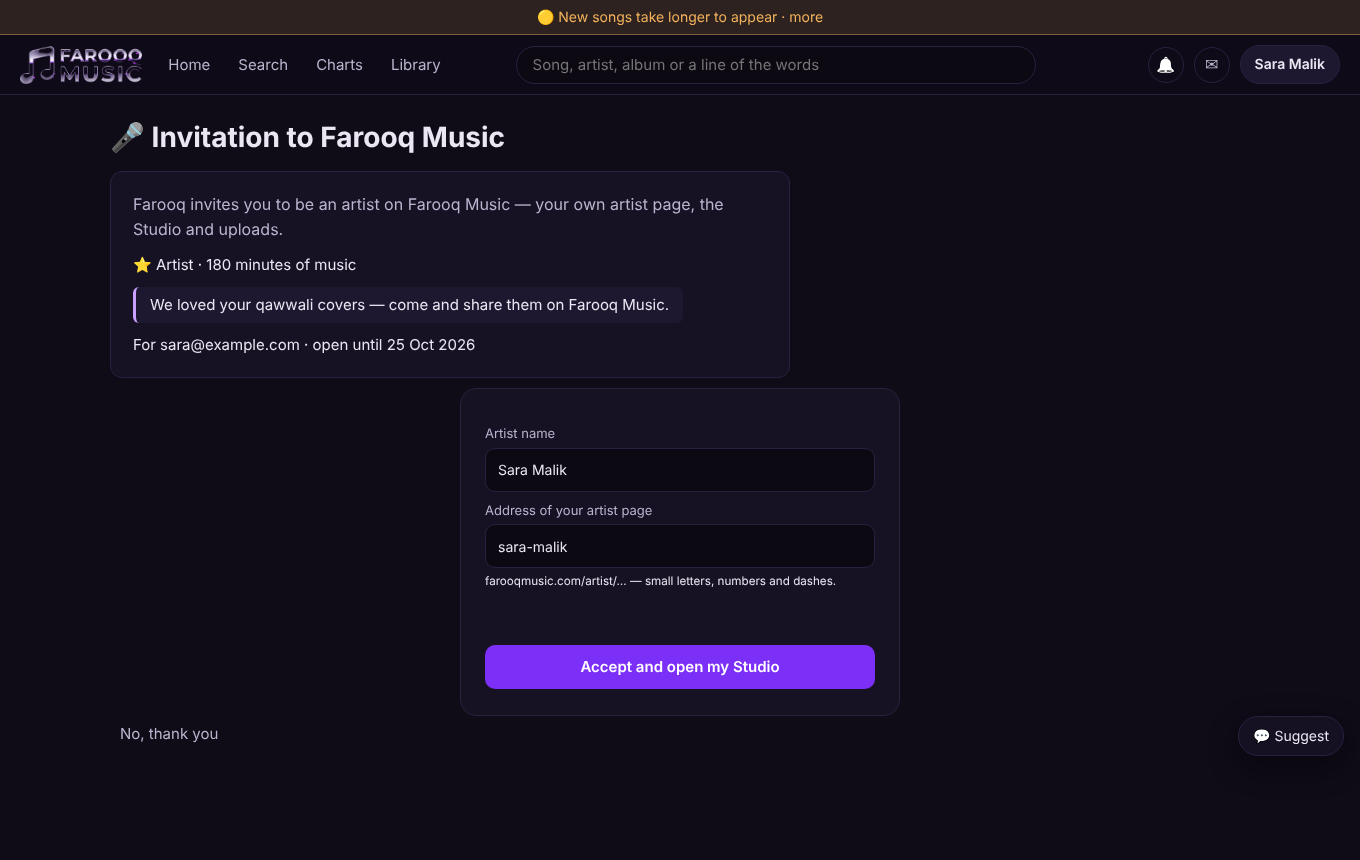
Way 2 — An invitation
The team may invite you by e-mail. Open the link, sign in or make a free account with that same e-mail, choose your artist name and press Accept and open my Studio. The link works once and for a limited time (shown on the page).
Way 3 — Open sign-up
When the team opens sign-up for everyone, choosing Artist on the Membership page is enough — the artist page and the Studio open at once.
The upload rules
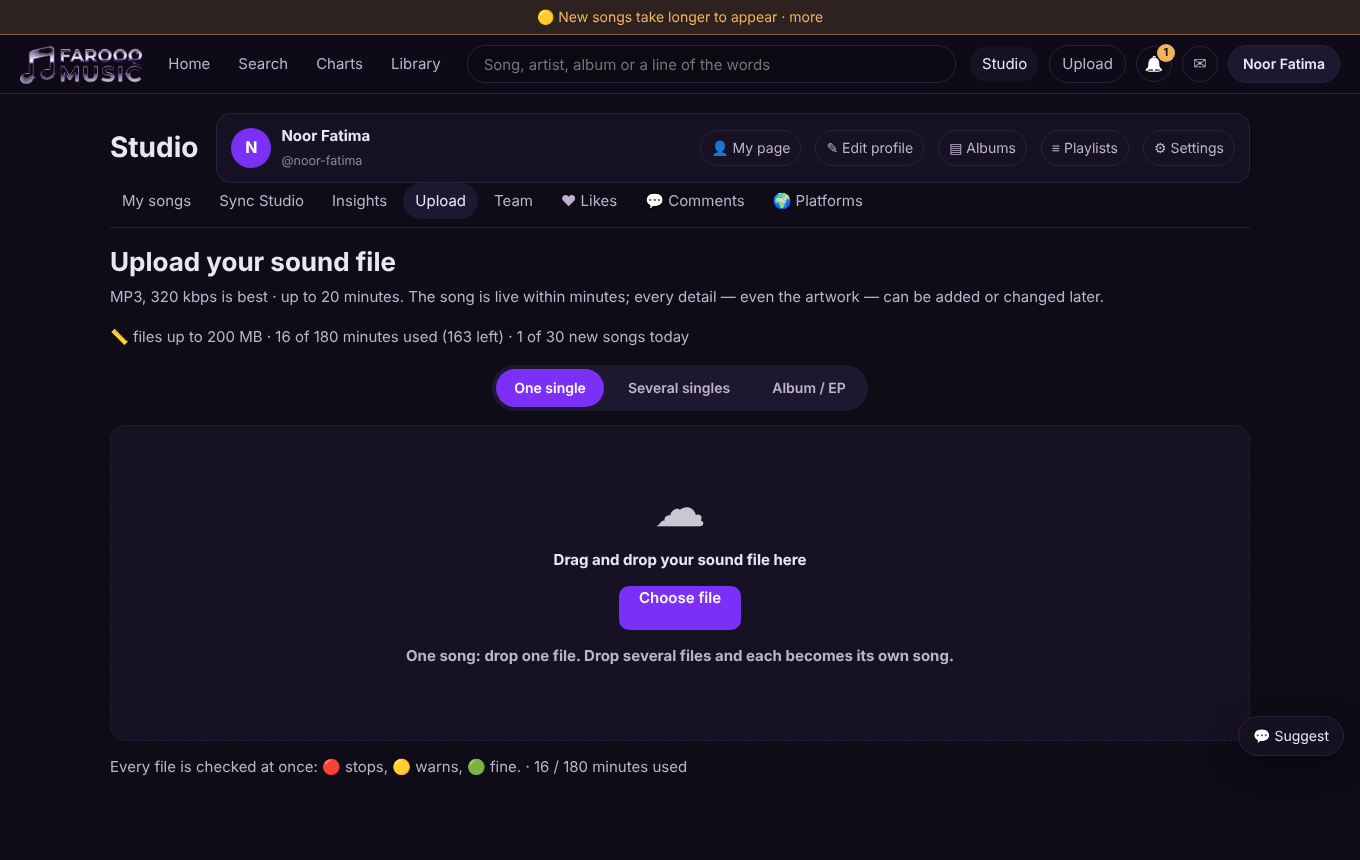
- Allowance — how many minutes of music you may keep: Artist 180 minutes, Artist Pro 1200 minutes (free today; the team may give one artist more). The upload window shows how much is used and left.
- Largest file — the upload window shows the largest sound file the platform takes.
- New songs per day — there is a daily number of new songs per artist; the window shows how many you started today.
- A short pause — if the team must pause uploads for a moment (for example during repairs), the upload window says so; listening is never affected.
Good to know
- Moving back to Listener closes new uploads; your songs and your artist page stay as they are.
- Rights: upload only songs you have the right to share — see Copyright.
The pictures show example accounts and numbers.