Words, timing, approvals
Auto sync — the engine times the lines, you check and save
What it is. Timing a song by hand means listening and pressing TAP at every line. Auto sync does the first pass for you: the platform's own engine listens to the song and gives every line a time. Most lines land within a second of where a person would tap; the lines it is not sure about are yellow, so you only listen to those. Nothing reaches listeners until you press Save — and the manual Sync Studio stays exactly as it was, for every song, at any time.
1. Open the song and press Auto sync
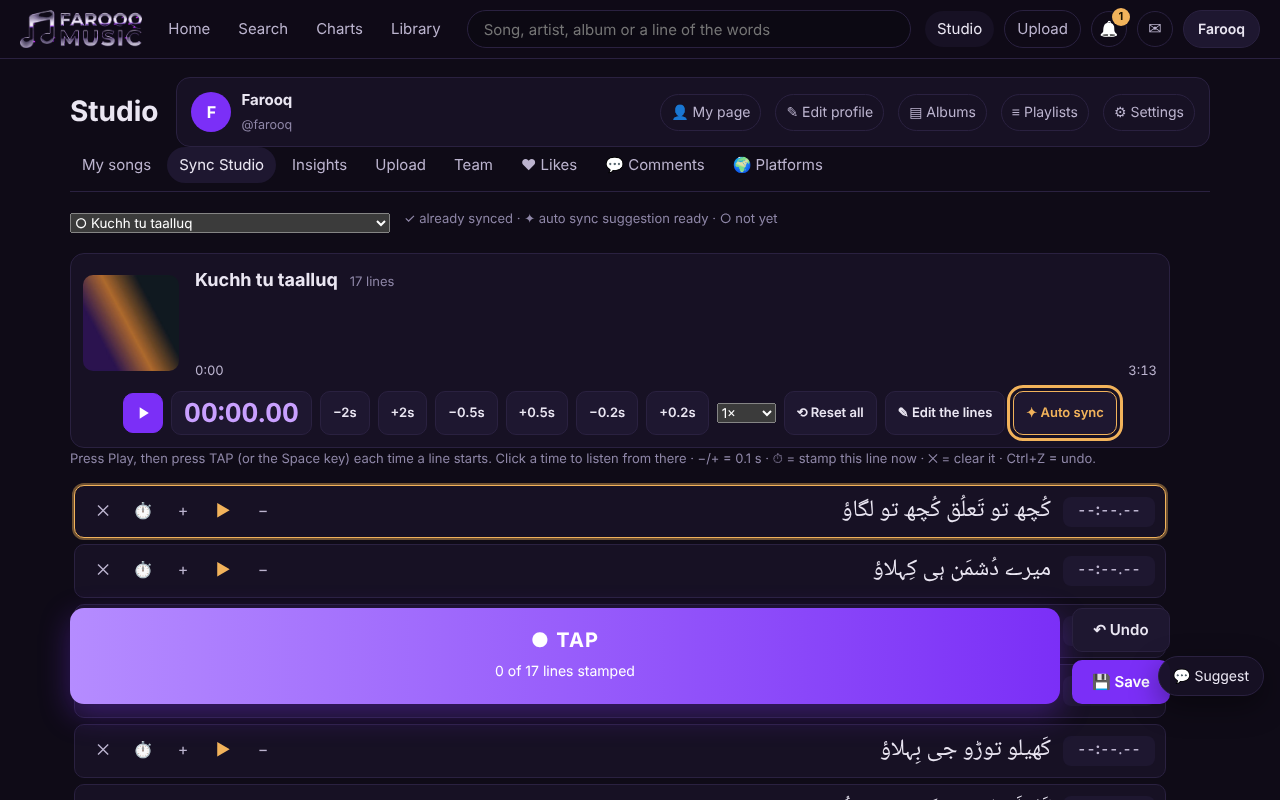
Studio → Sync Studio, choose the song. Its words must be saved first: one sung line per line. Press ✦ Auto sync (next to ✎ Edit the lines). If the song already has times, you are asked first — the suggestion replaces the times on the screen only.
2. Wait — or leave
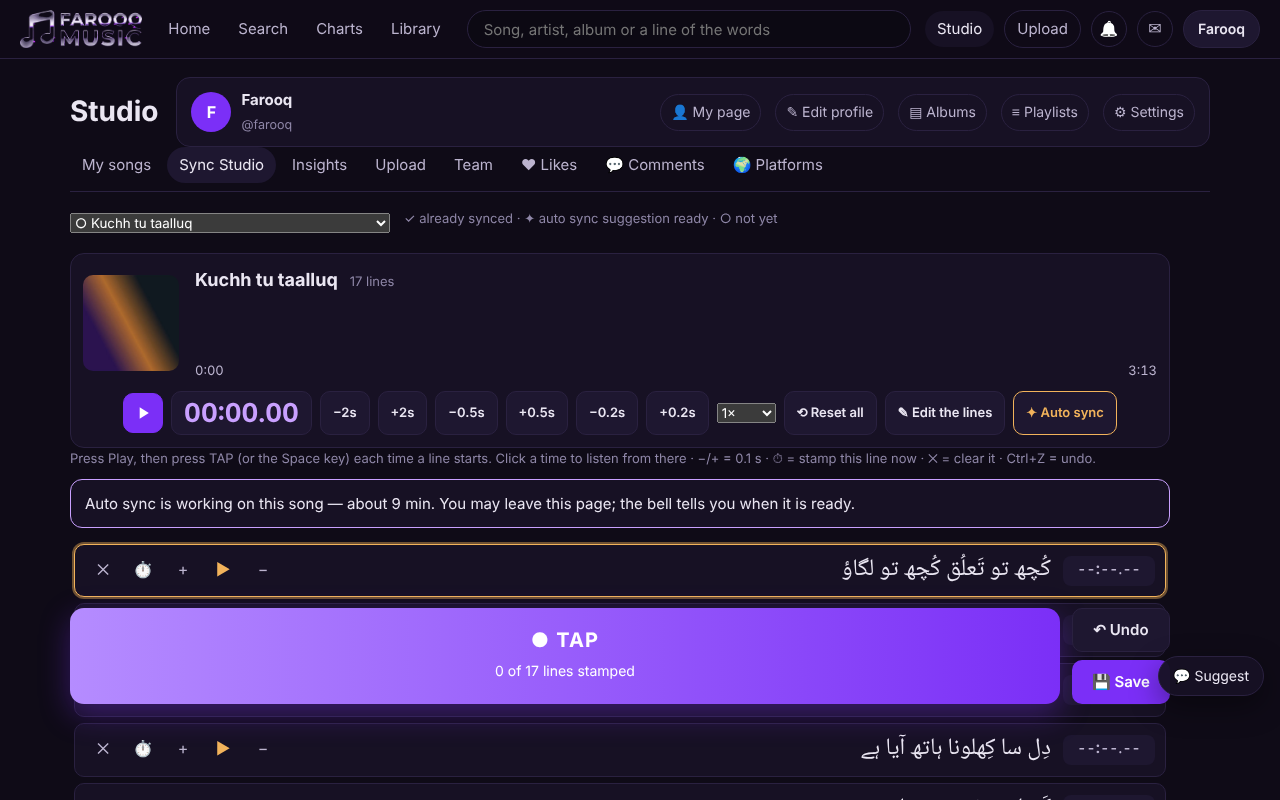
A box tells you where your request is: in the queue (how many songs are before yours), then working, with the time it usually takes — a few minutes for a 3-minute song. You may close the page: the bell tells you when the suggestion is ready, and when you open the song again the box offers Use the suggestion.
3. Check the yellow lines, then save
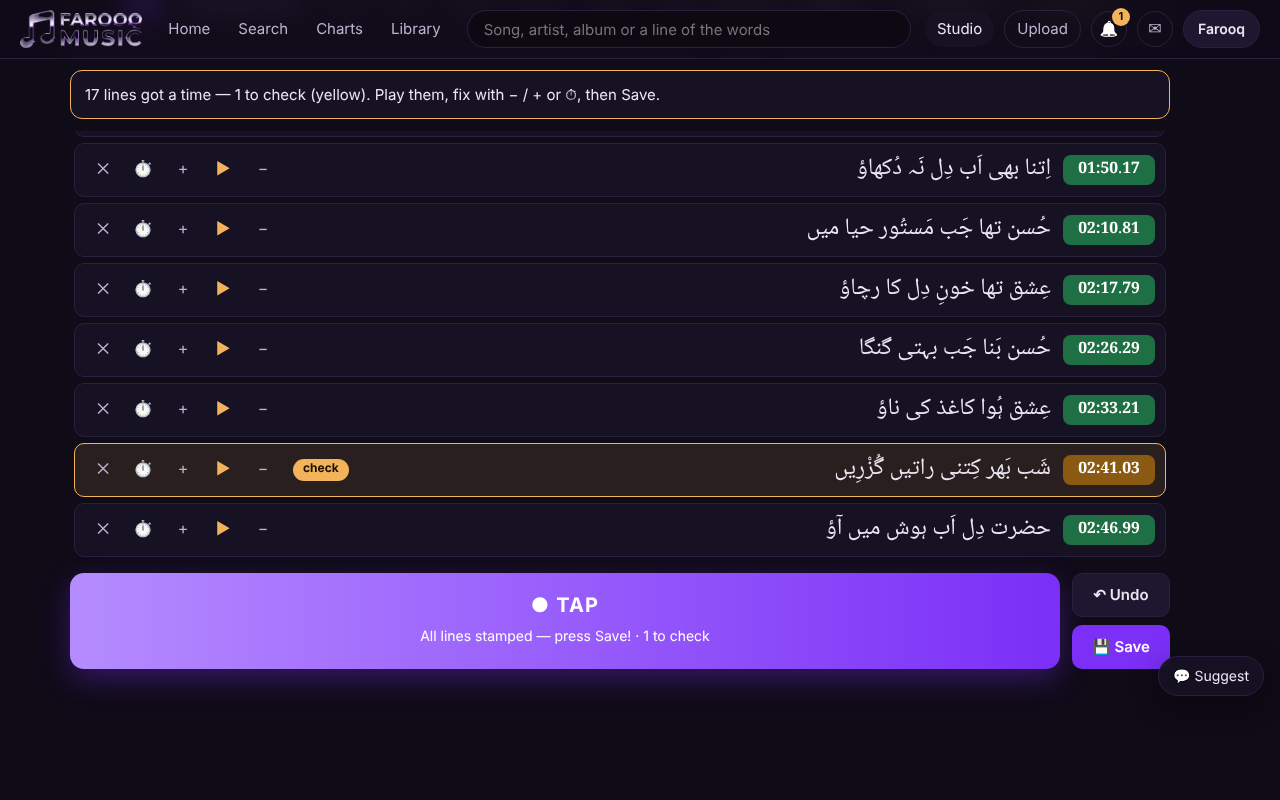
When it is ready, every line has its time. The yellow lines say check: press ▶ on a line to hear it from just before, and fix it with − / + or ⏱, exactly as when you time by hand. A line you played or fixed loses its yellow. ↶ Undo takes the whole suggestion back in one press. Then press 💾 Save as always.
A member of your team on a timing task has the same button and presses Hand in; in Studio → Team the work you approve shows ✦ Auto sync.
4. Songs without timing — by themselves
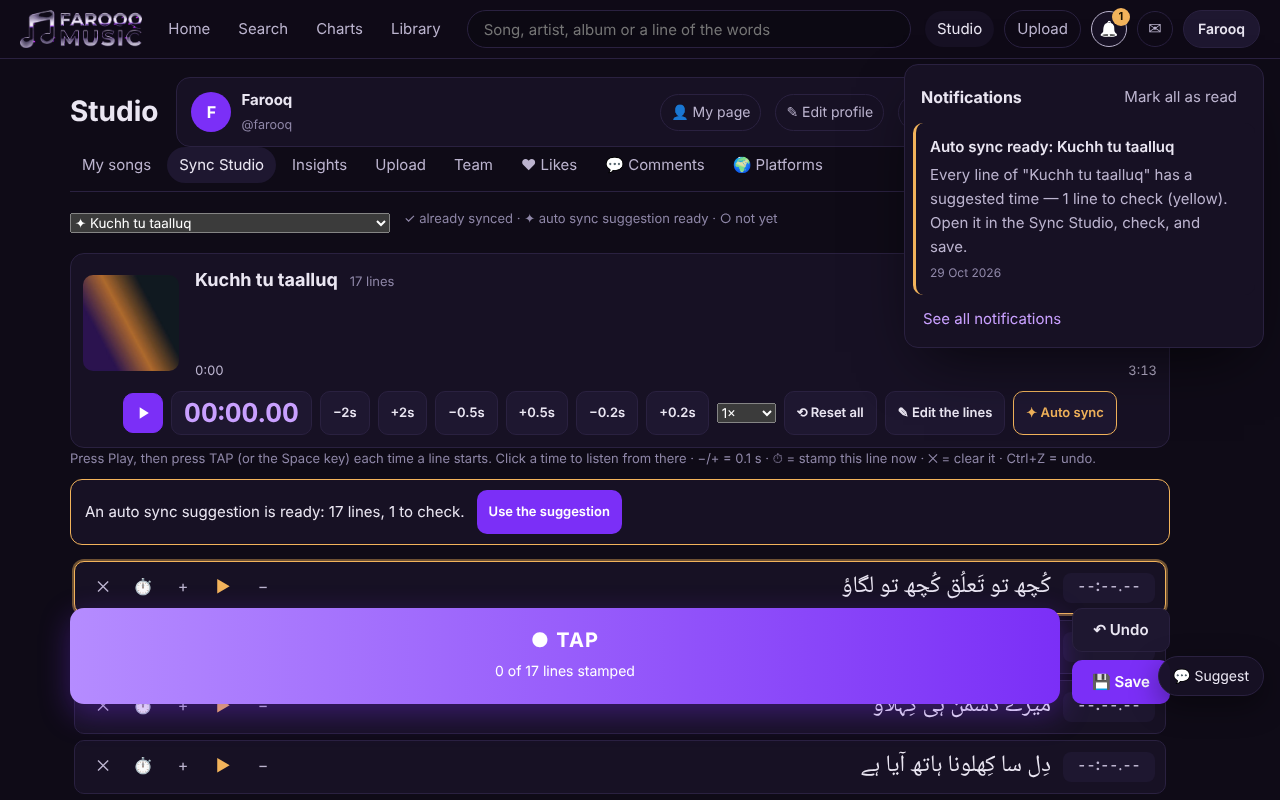
A published song that has words but no timing gets its suggestion by itself, without anyone pressing the button: the bell says Auto sync ready. Open the song in the Sync Studio: the box says the suggestion is ready — press Use the suggestion to fill in the times, then check the yellow lines and save. If you would rather time it by hand, just leave the box: the screen stays as it was. Songs that are already timed are never touched. In the Sync Studio's song list, ✦ marks a song whose suggestion is waiting.
Saved by itself. The engine listens with two different models. Where they disagree on a line, a third, different model listens to that place and decides between them. When every line of such a song is agreed or decided this way, the song is saved by itself and its words run with it at once — the bell says Auto sync saved, and the Sync Studio box says so too. If a line is still off, fix it there and press Save. When even one line stays undecided, nothing is saved: the suggestion waits for you as above, and exactly those lines are yellow.
Good to know
- The yellow lines are the ones where the engine's two models disagree and the third could not decide. When we measured on 108 songs timed by hand, the other lines were within a second of a person's tap 99 times out of 100.
- Auto sync reads Urdu words (Urdu script) for now, for songs up to 15 minutes.
- If you change the words after asking, the suggestion no longer fits — the box says so; press Auto sync again.
- Your own requests come first; the songs the platform asks for by itself wait behind them.
- If auto sync is not available at that moment, or cannot time a song, the box says so — time it by hand as before.
- The work is done on the platform's own machines; your song never leaves them.