Administration
Artists & requests — who may become an artist
What it is. One admin page (admin site → People → Artists & requests) for everything about artists: who may become one, how big a file may be, how much music each may keep, the invitations, the waitlist of requests, and every artist with his numbers. Everything saved here is live at once — on the website, in the apps and at every upload door.
Step 1 — Choose the rule for new artists
Under THE RULES → WHO MAY BECOME AN ARTIST:
- Invitations only — only people you invite by e-mail. Nobody can ask.
- Invitations + requests (the waitlist) — anyone may ask on the website; you approve or decline here. This is the rule from the start.
- Open to everyone — choosing Artist on the Membership page is enough.
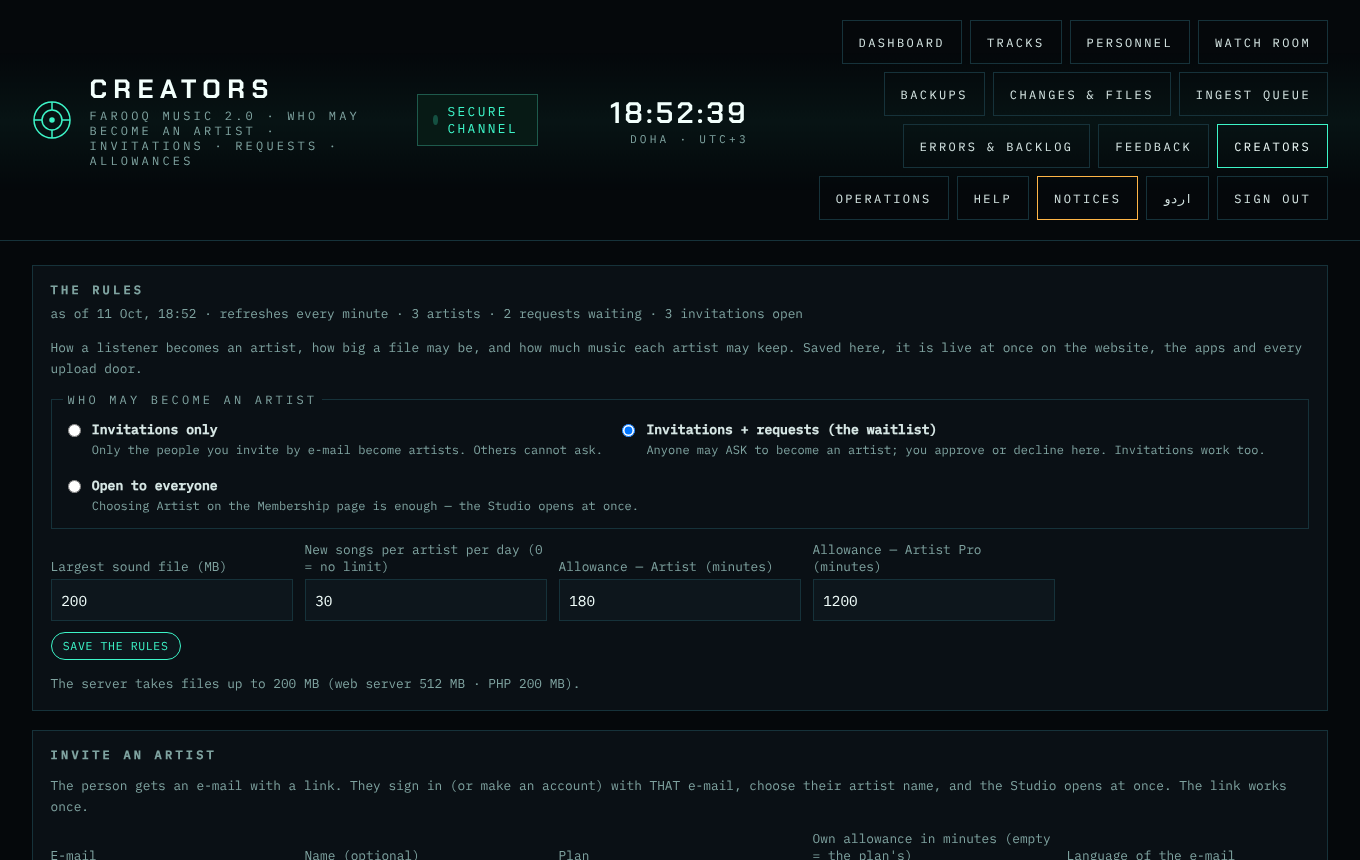
Step 2 — The upload rules
On the same panel: the largest sound file (MB — never above what the server takes, shown under the panel), new songs per artist per day (0 = no limit), and the allowance of each plan in minutes (Artist, Artist Pro). Press SAVE THE RULES. You, the admin, have no limits.
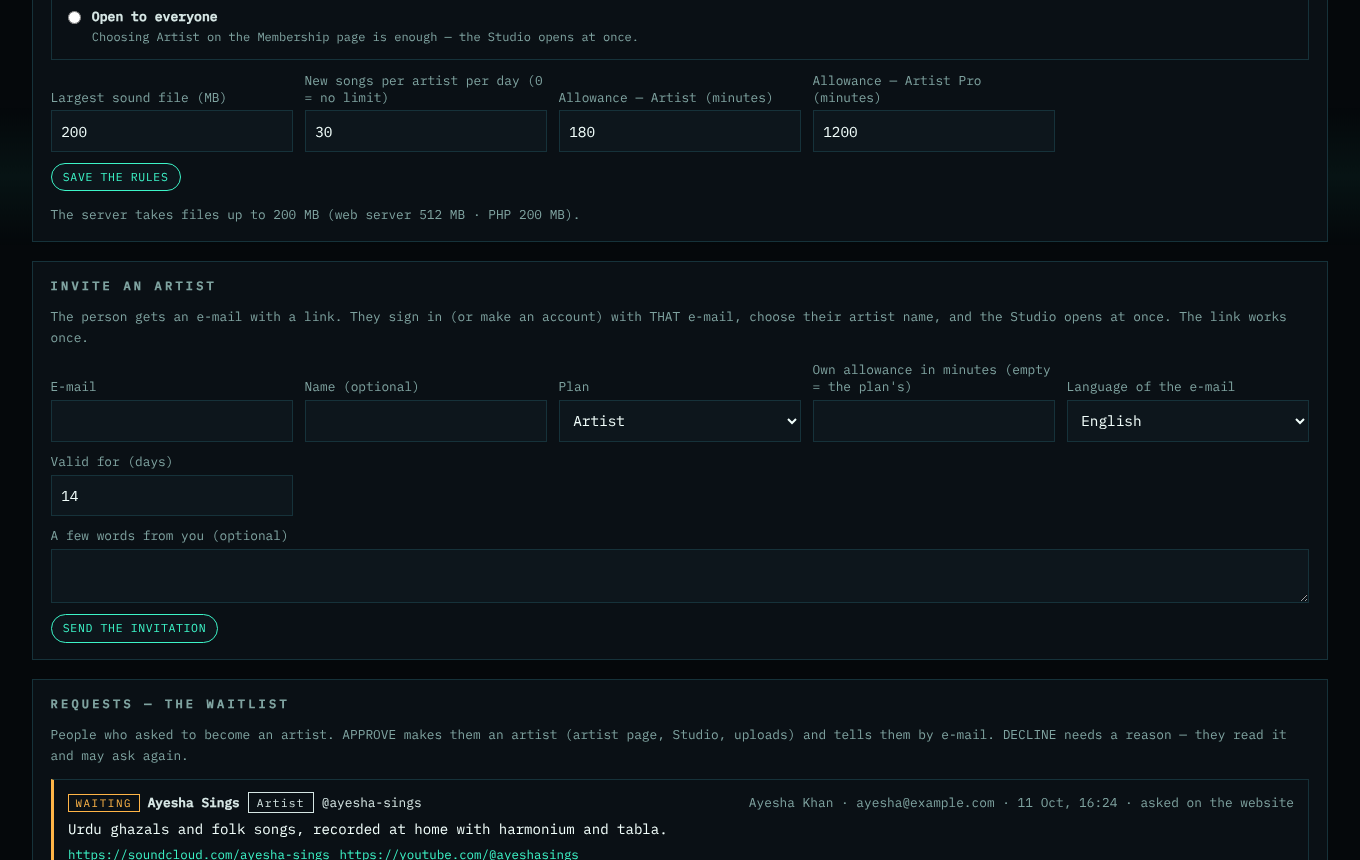
Step 3 — Invite an artist
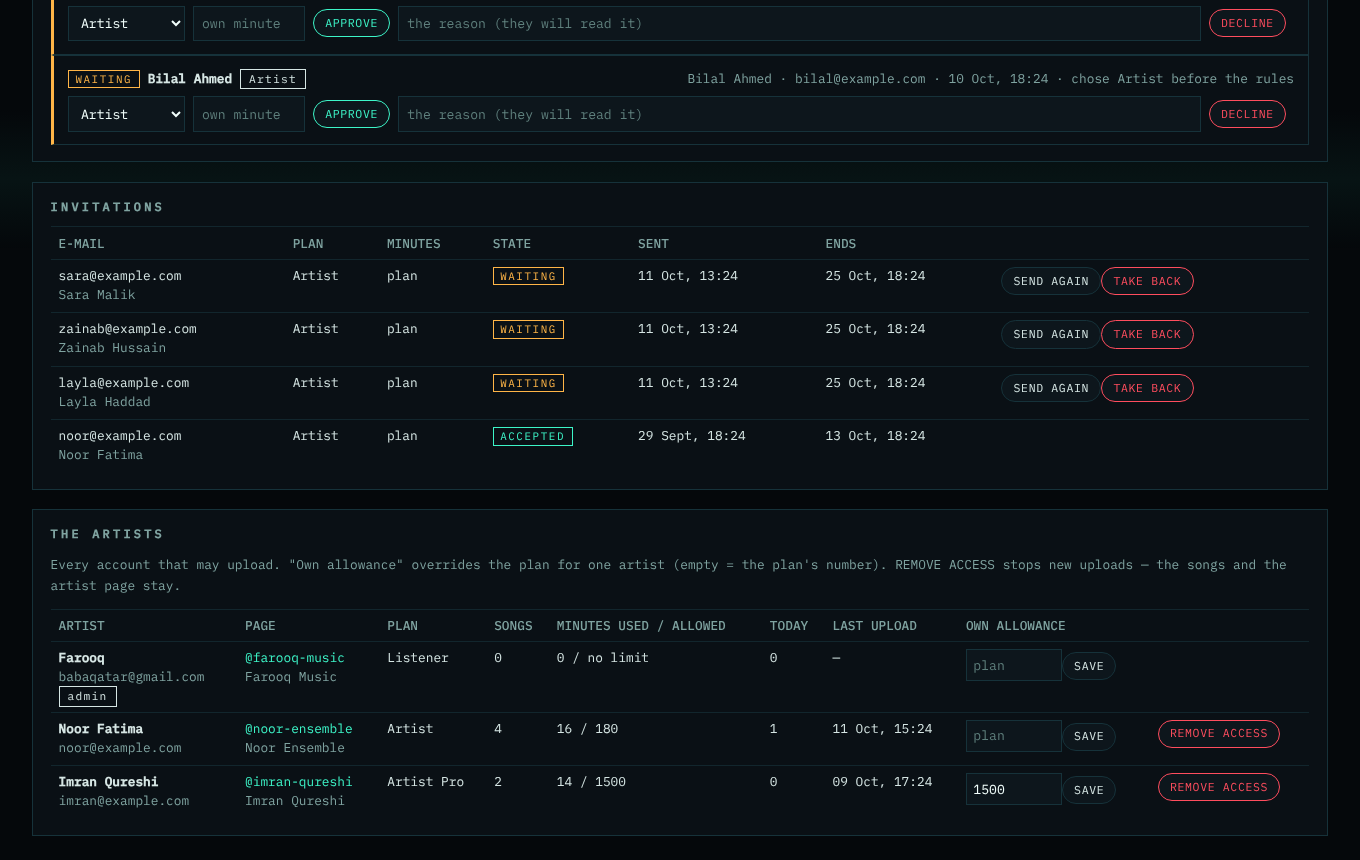
Fill in INVITE AN ARTIST: the e-mail, a name, the plan, an own allowance (empty = the plan's), the language of the e-mail, how many days the link works, and a few words. SEND THE INVITATION mails the link and shows it on the page (you may also send it by WhatsApp). The person signs in with that e-mail, chooses an artist name, and the Studio opens. In INVITATIONS you see each one: waiting, accepted, declined, expired — SEND AGAIN (a new link) or TAKE BACK.
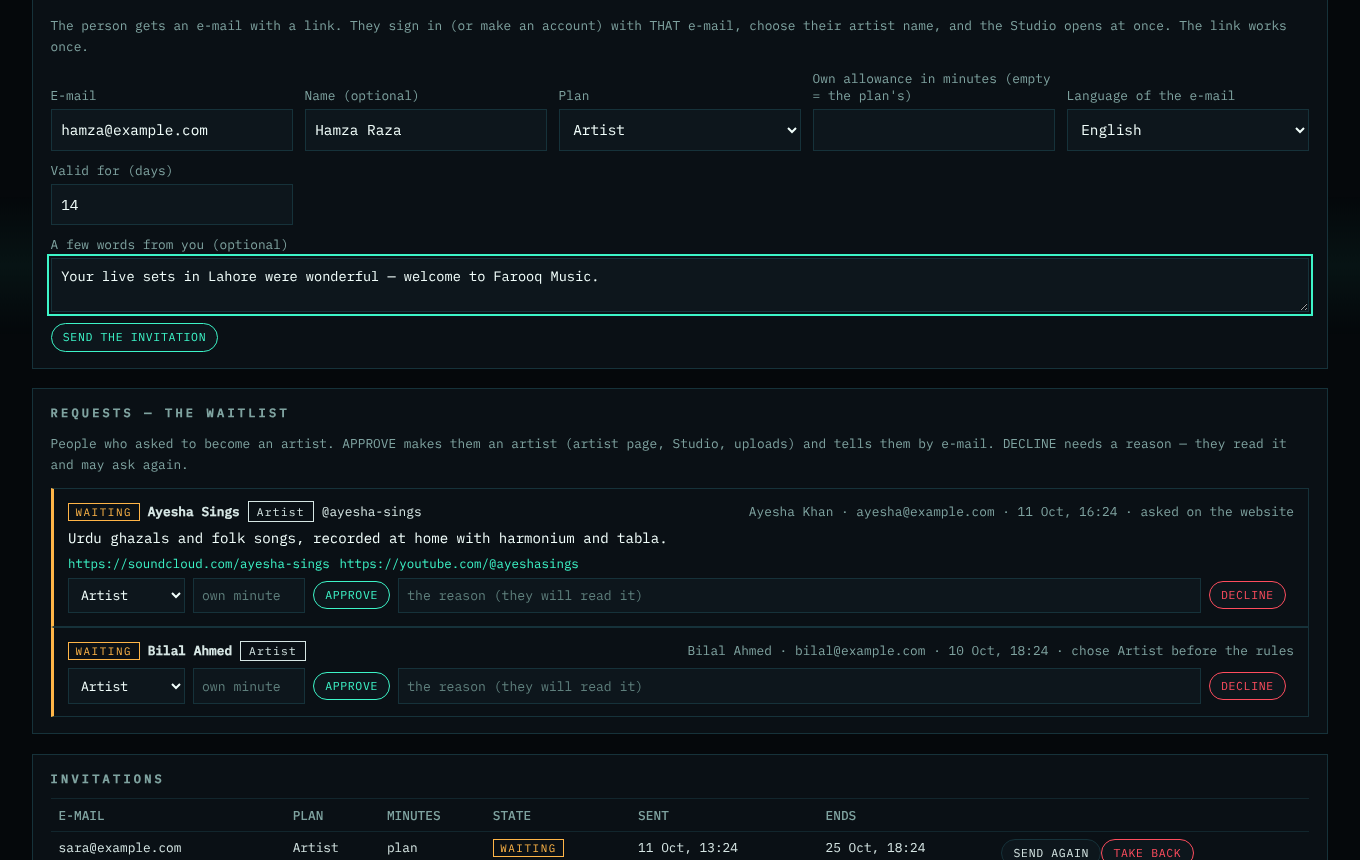
Step 4 — Answer the requests
REQUESTS — THE WAITLIST lists who asked: the artist name, the wished address, the plan, what they wrote and their links. People who chose Artist before these rules are listed too ("chose Artist before the rules"). APPROVE (you may change the plan and give an own allowance) makes the artist page and opens the Studio; they get an e-mail. DECLINE needs a reason — they read it and may ask again. Every new request also reaches you as a notice and an e-mail.
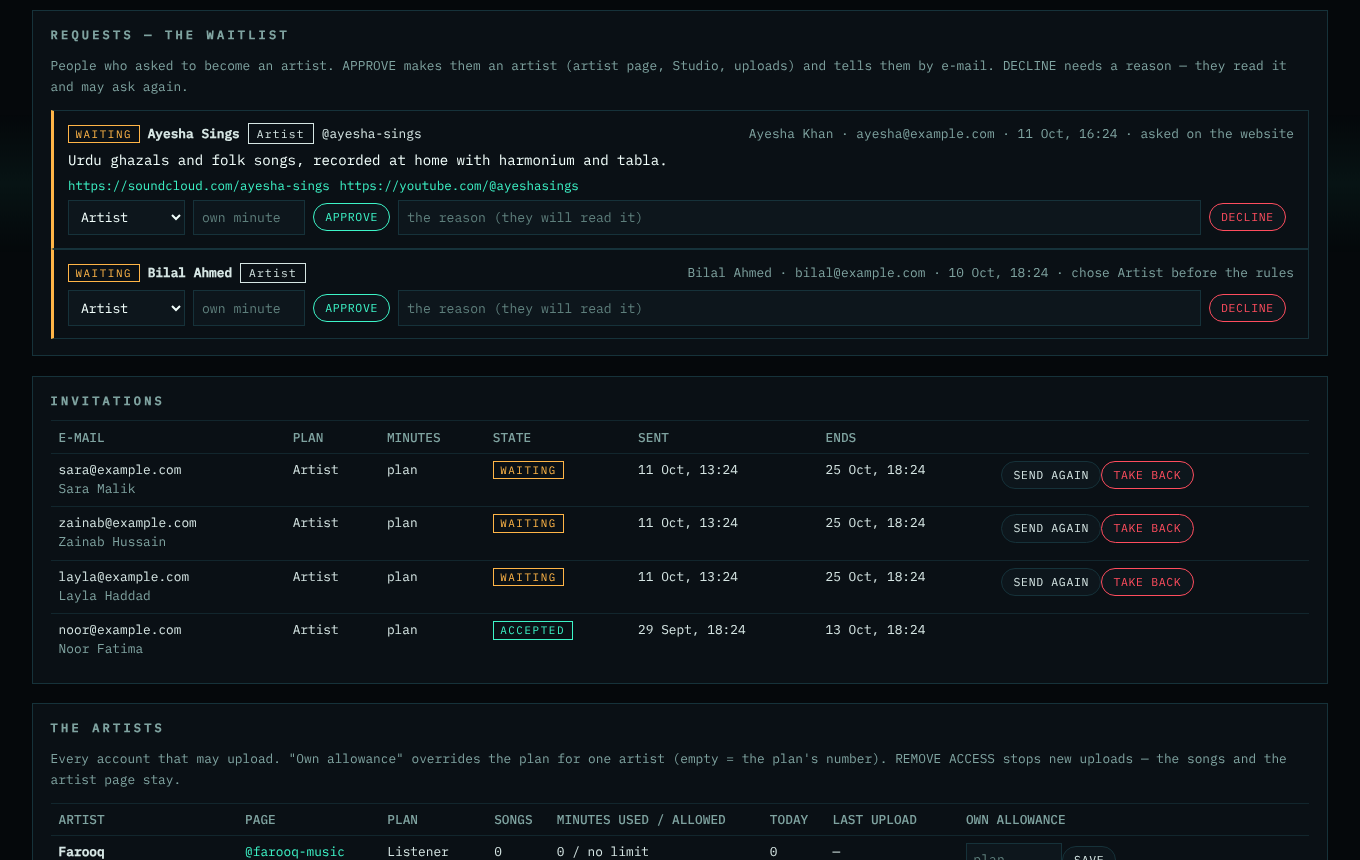
Step 5 — Every artist
THE ARTISTS shows each account that may upload: the artist page, the plan, songs, minutes used of the allowance, new songs today and the last upload. Type an own allowance (minutes) and SAVE to give one artist more (or less); empty = the plan's number. REMOVE ACCESS (with a reason) stops new uploads — the songs and the artist page stay, nothing is deleted.
Good to know
- Every change is written to the audit log with your name.
- A fast stop for ALL uploads (during a problem) is on the Server watch page: Pause uploads.
The pictures show example accounts and numbers.