Songs & catalogue
Private songs and followers-only songs — the private link
What it is. Every song has a switch Who can listen. A private song opens only for you, your team, and the people you send its private link to. A followers only song opens for the people who follow your artist page (and for whoever has its private link). Both stay off every list: your artist page, the search, the charts, the Home page, the app, likes, saves, playlists and reposts.
1. Choose who can listen
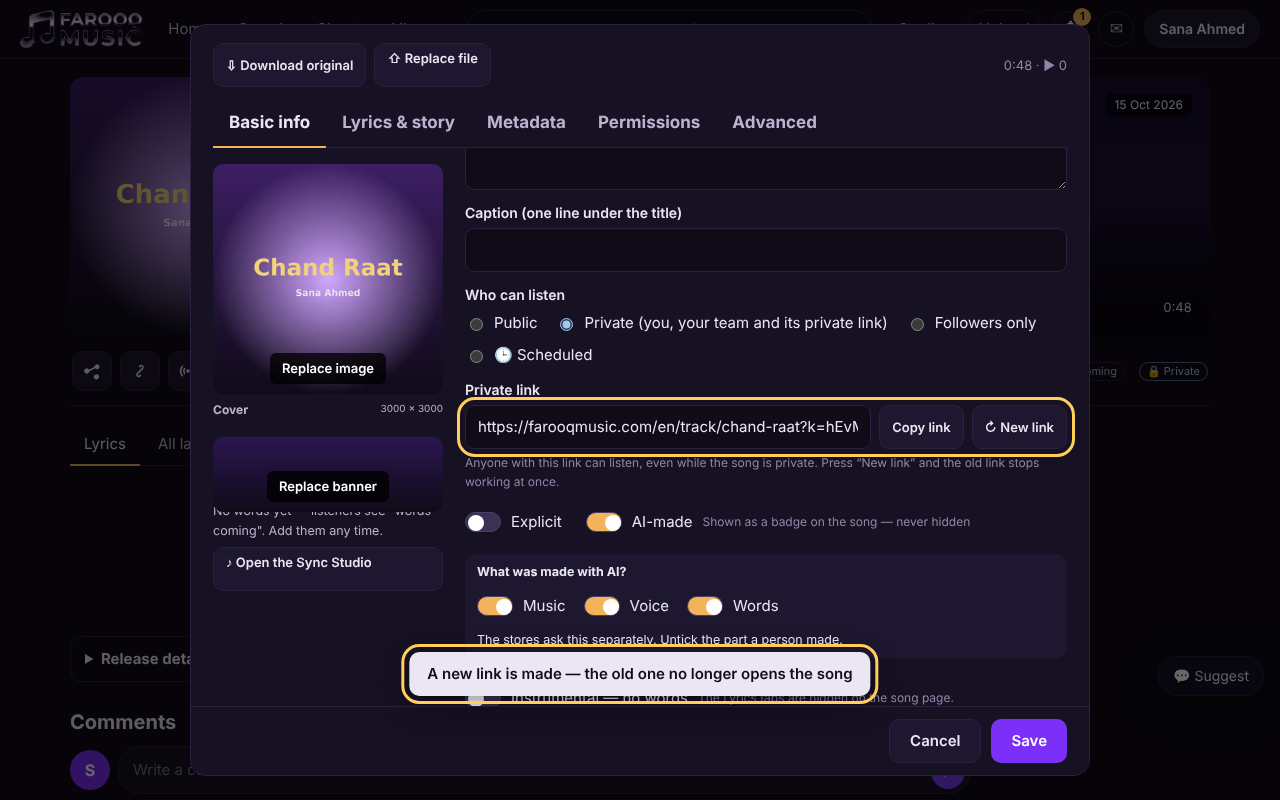
Open the song and press ✎ Edit (or ✎ on its row in Studio → My songs). In Basic info, under Who can listen, choose Private or Followers only, then press Save. As soon as the song is not public, the Private link row appears under it. The same choice is on the upload form.
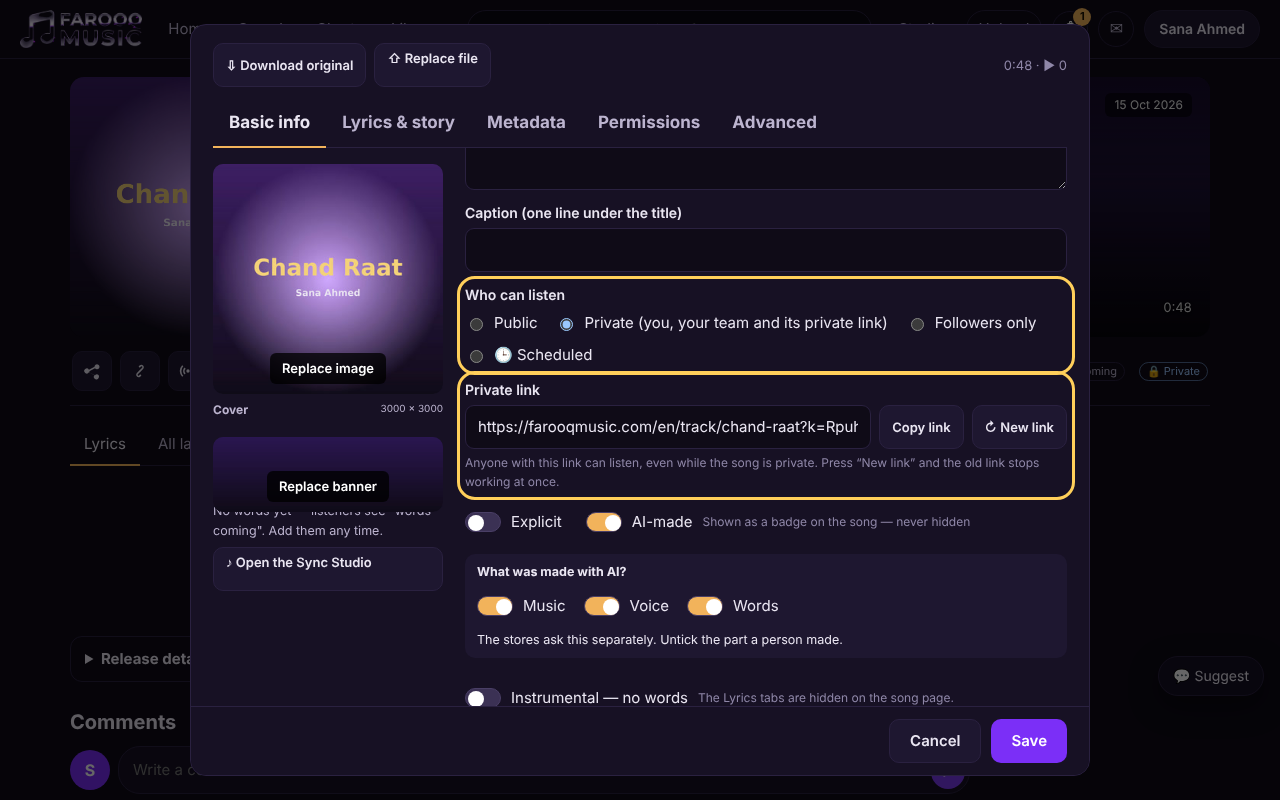
2. Copy the private link and send it
Press Copy link next to the private link — or, on the song page, ⋯ → Share: for a song that is not public the Share window says so and gives the private link, ready for WhatsApp, e-mail or any message. The Share and Copy link boxes on the song page give the private link too.
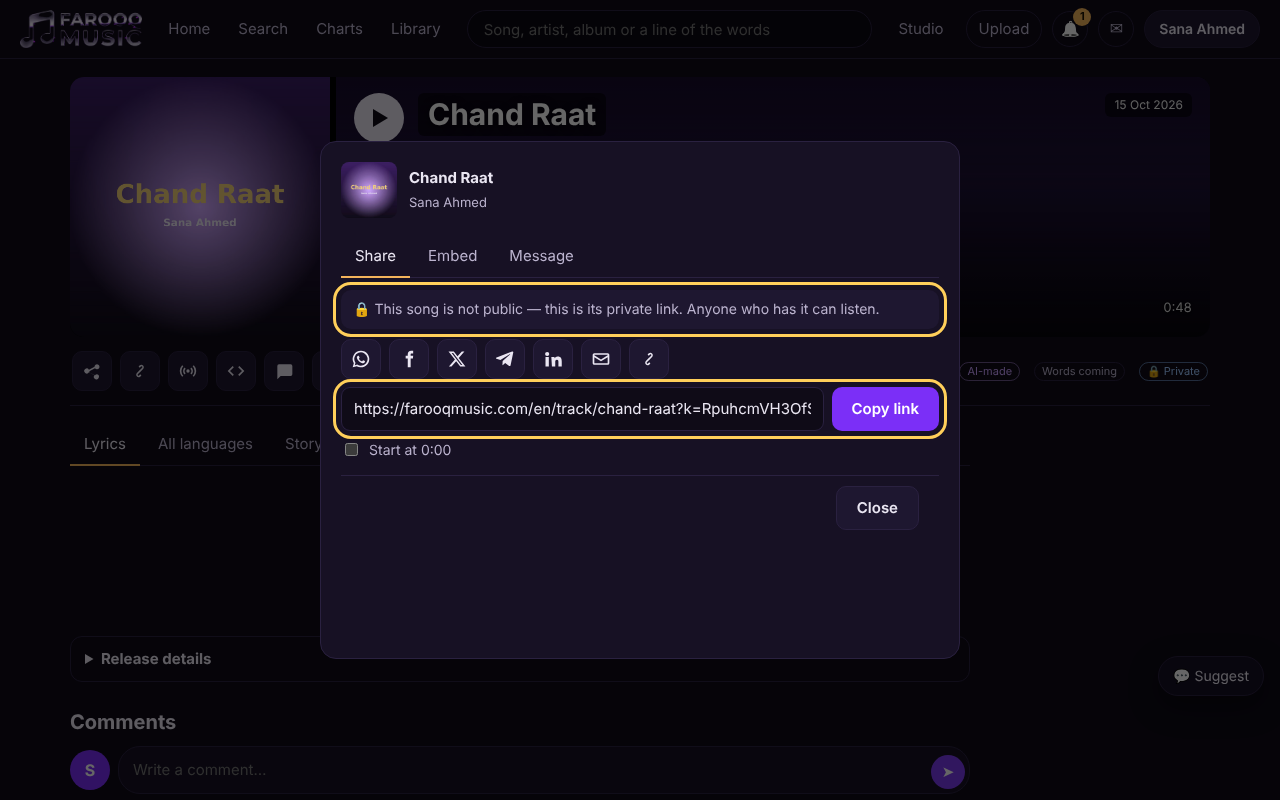
3. What your listener sees
The person who opens the private link gets the song page as usual: play, the words, the story, the credits and the comments. A small 🔒 Private mark under the song shows it is not public. They need no account to listen.
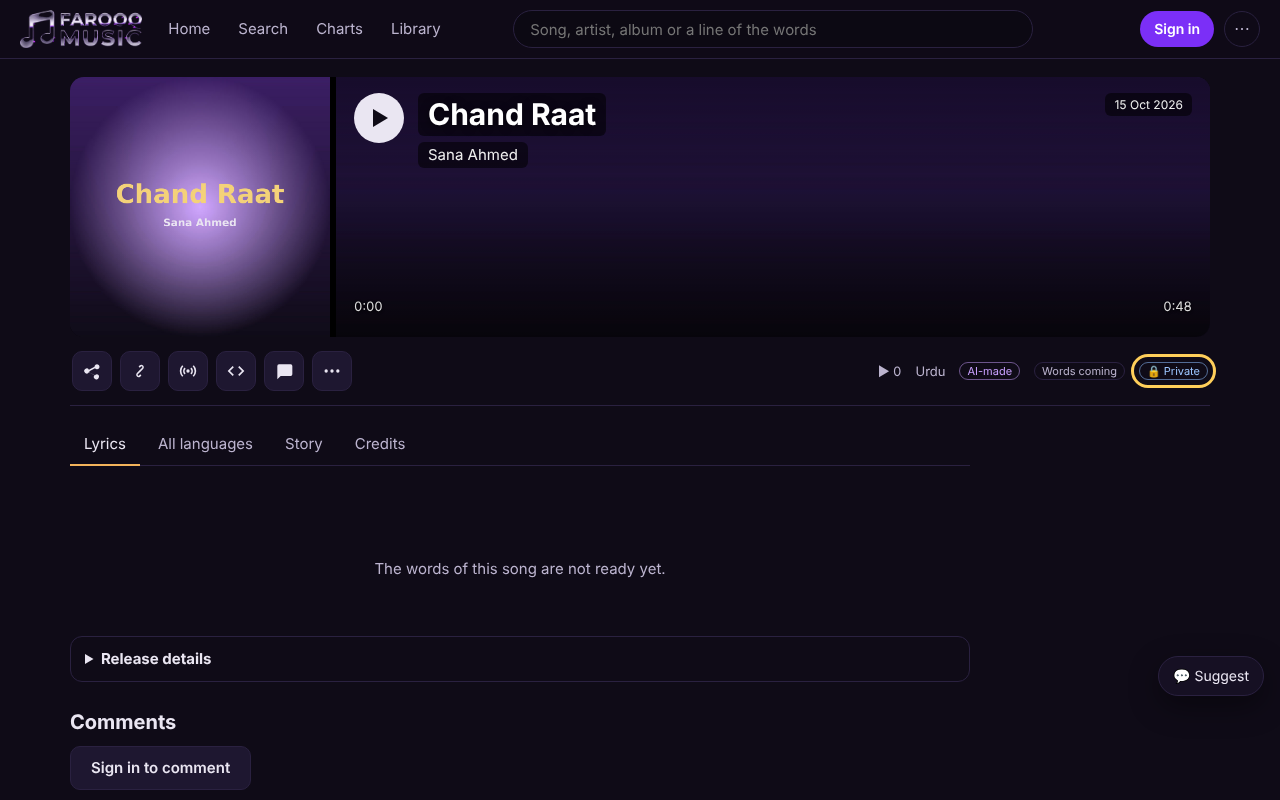
4. What everyone else sees
Without the private link, the song's address says This song is private — nothing of the song is shown: no title, no cover, no sound, no words. A guessed address does not open it either.
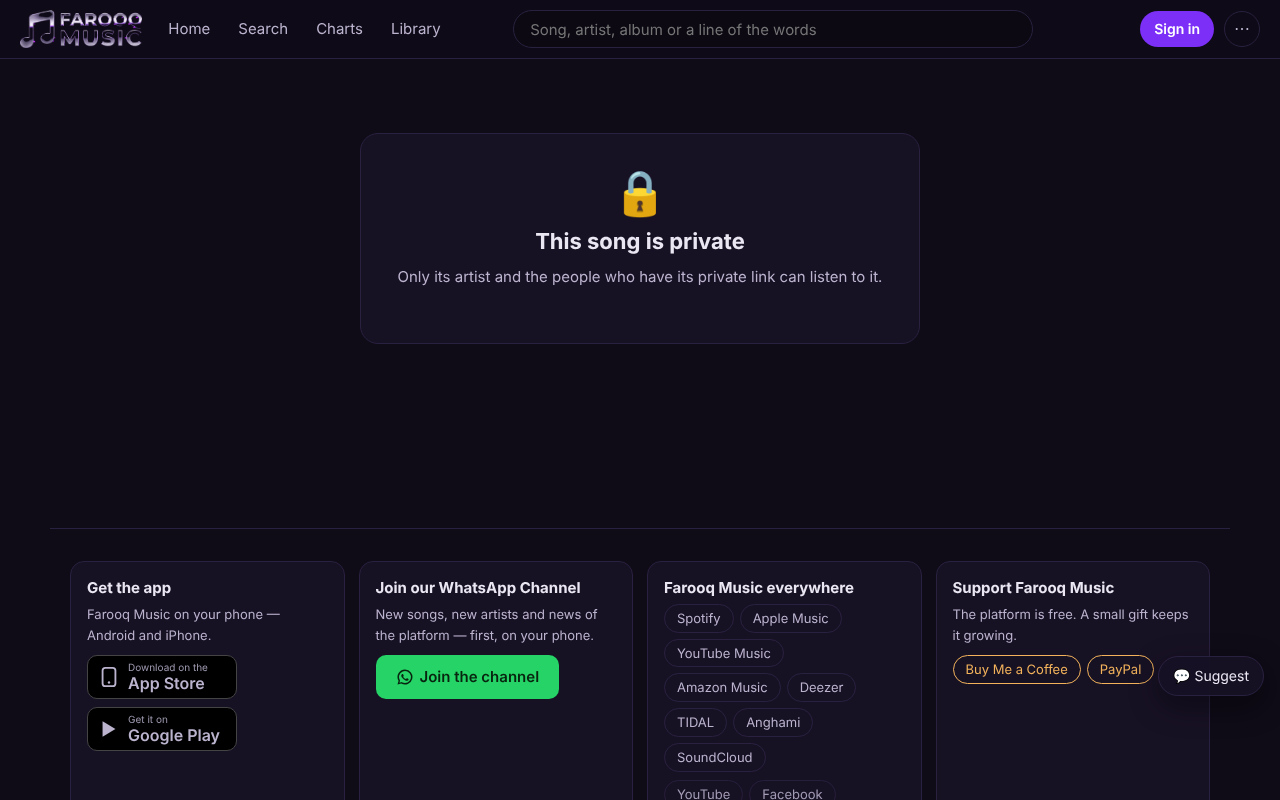
5. Followers only
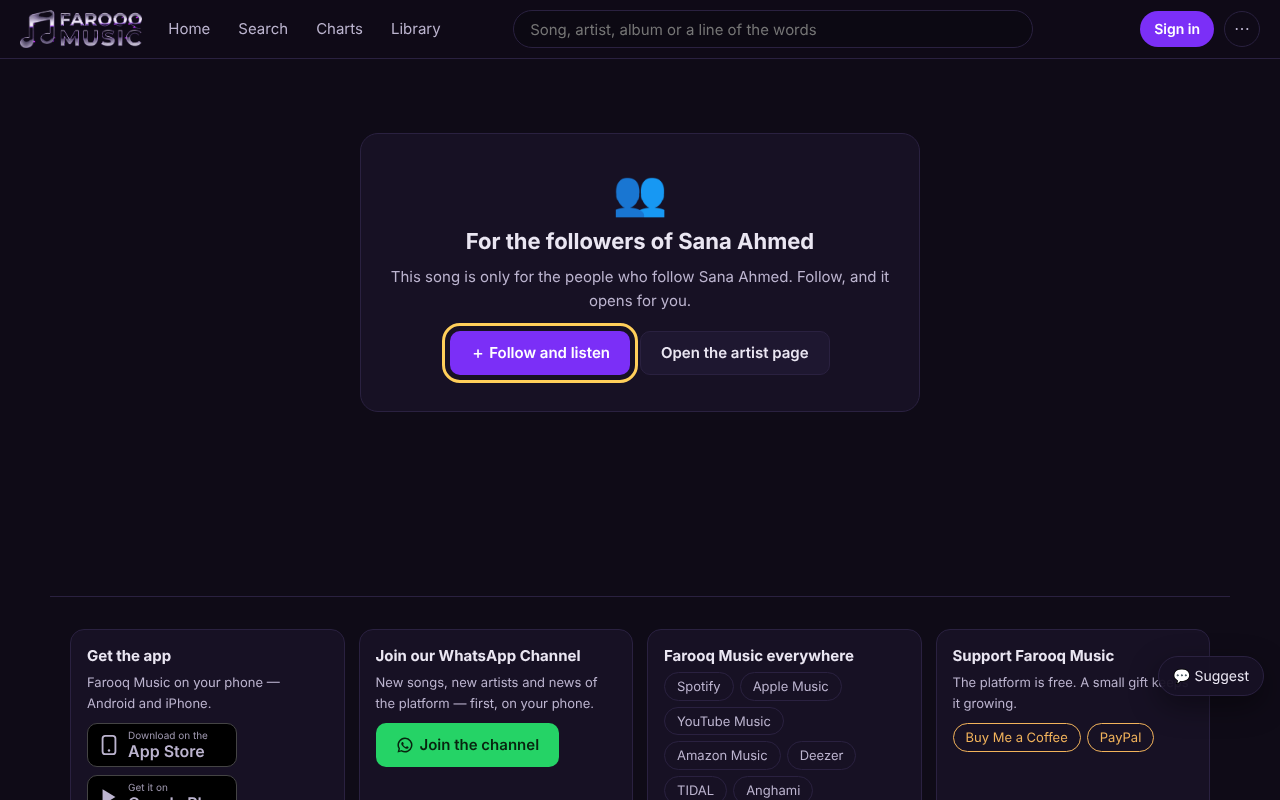
A followers-only song shows a person who does not follow you For the followers of your name, with Follow and listen. One press (after signing in) follows your page and the song opens.
6. Stop an old link — New link
Sent the link to the wrong person, or it went further than you wanted? In ✎ Edit, press ↻ New link. A new private link is made at once and the old one stops opening the song. Send the new link to the people who should still listen.
Good to know
- Making the song Public again shows it on every list at once. If you make it private again later, the same private link works again — press New link if it should not.
- A Scheduled song is private until its time; its private link works before that time too.
- Your team and the people you gave rights on the song open it without the link.
- The private link opens the song in the language it was copied in; the person can switch the language on the page.
Related
Uploading a song · My songs — hide, delete and bring back · Followers and history