Terms & privacy
Close your account and delete your data
Who can do it. Anyone with a Farooq Music account — on the website or in the app, the same account.
Step 1 — Download your data first (if you want it)
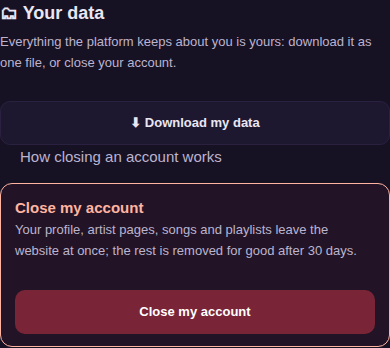
Sign in, open Settings (your account page) and go to Your data. Press Download my data: one file with your profile, likes, saved songs, follows, playlists, comments, reposts, history, membership and your artist pages and songs. Your sound files and pictures are in your Studio (each song → Files).
Step 2 — Close the account
In Your data, press Close my account, type DELETE and confirm.
- At once: you are signed out on every device; your profile, your artist pages, your songs and your playlists leave the website.
- After 30 days: everything else is removed for good — likes, saves, follows, comments, messages, history, teams, membership — and your e-mail and name are taken off the account row. Safety copies roll over within 14 days after that.
- Payment records that the law asks us to keep stay as long as the law says.
Changed your mind?
Within 30 days, write to contact@farooqmusic.com from the same e-mail address and the team can bring the account back as it was. After 30 days it cannot be brought back.
Without signing in
If you cannot sign in, write to contact@farooqmusic.com from the e-mail address of the account and ask for it to be closed; the team closes it the same way.