Administration
Feedback & messages — what the listeners ask for
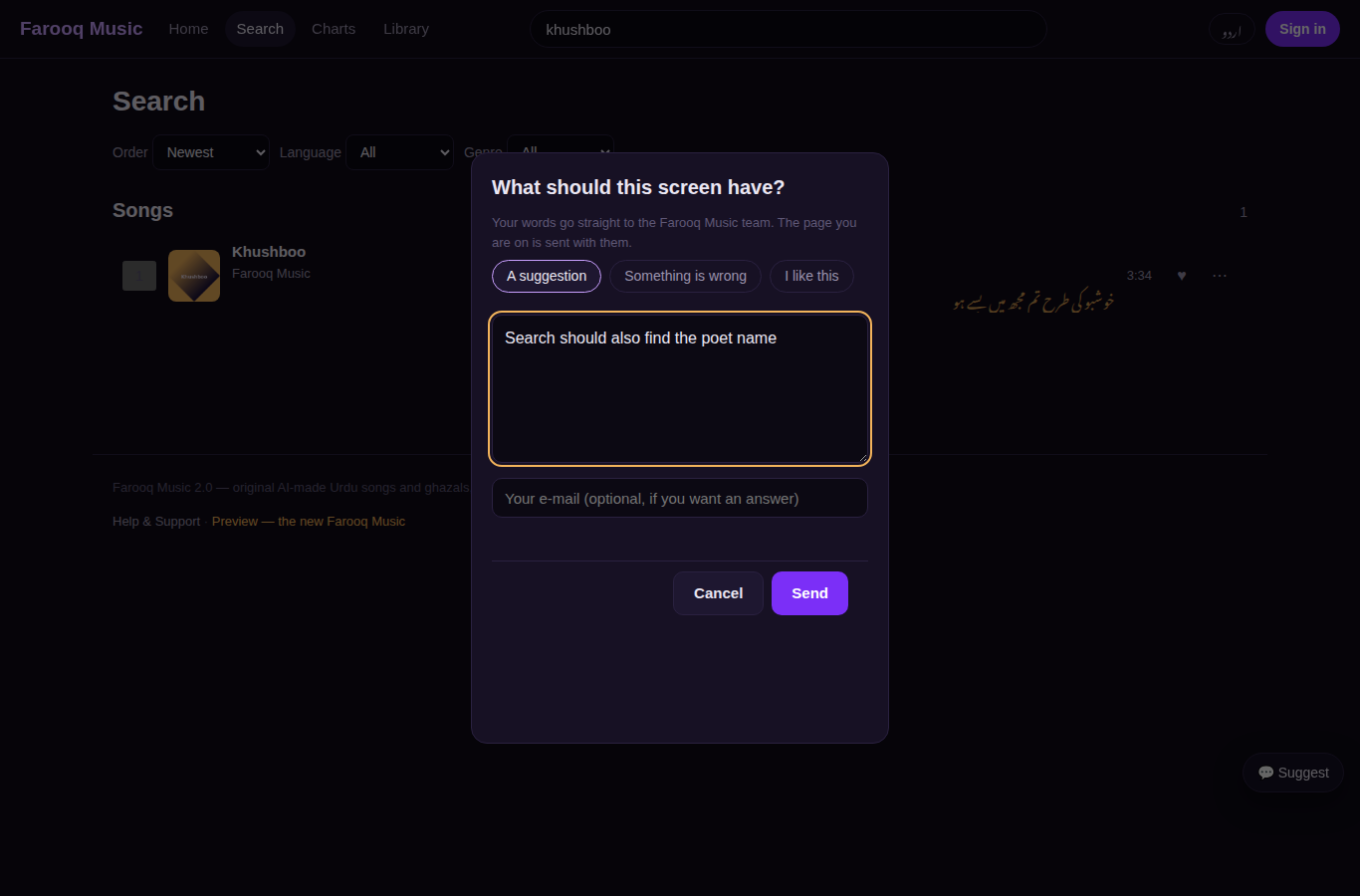
What it is. Every screen of the website carries a 💬 Suggest button. A listener (or a guest) writes a suggestion, a problem or praise; the page they were on and their browser size come with it. The message lands on this page and a notice rings on the bell of every admin page.
Who sees it. The admin. The person who wrote never sees your note.
Step 1 — The page Feedback & messages
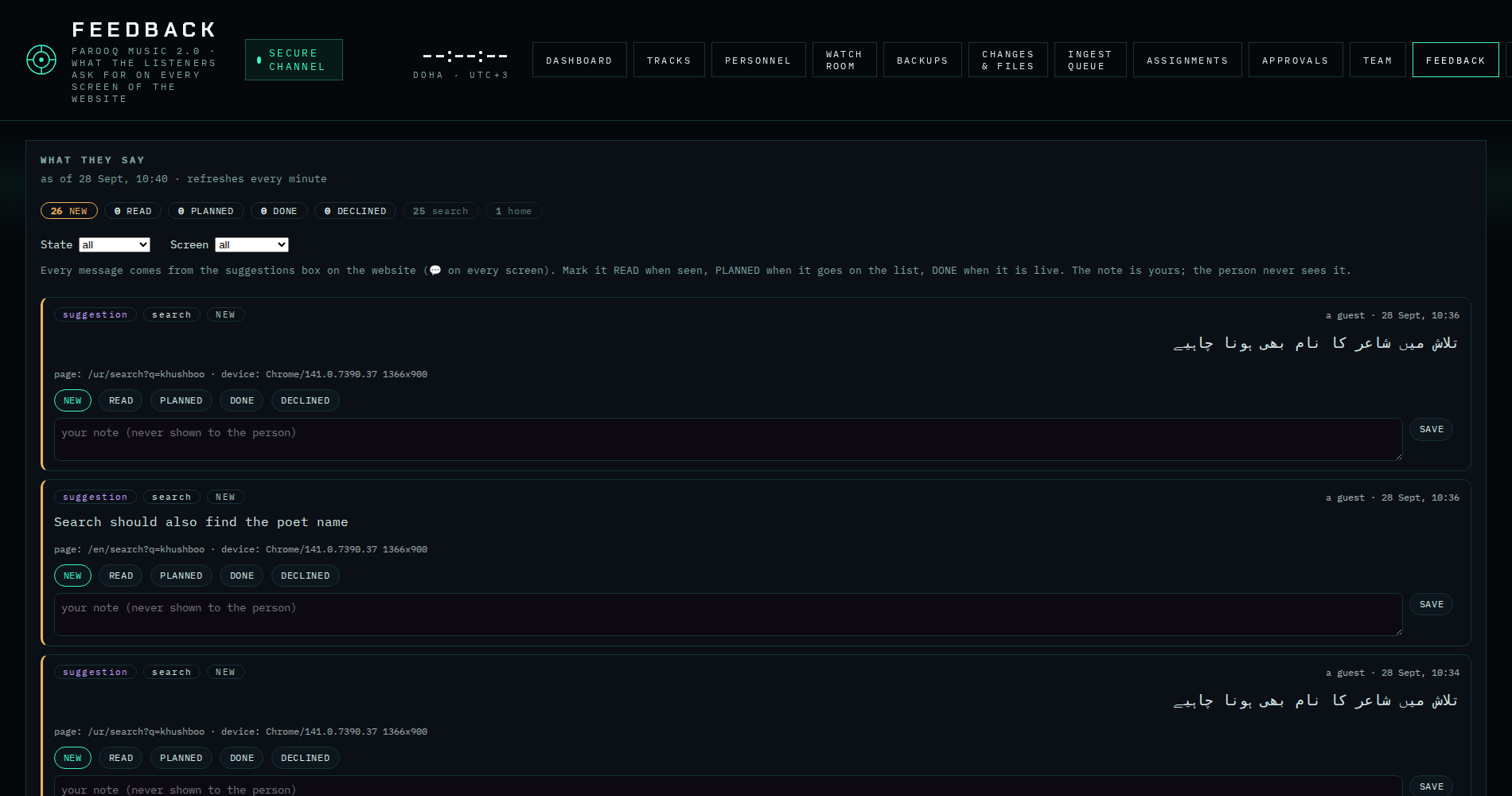
Admin → People → Feedback & messages. The counts at the top say how many are NEW · READ · PLANNED · DONE · DECLINED, and how many came from each screen (search, song page, player…). Filter by state or screen with the two selects.
Step 2 — Handle a message
Under each message: the state buttons — READ when you have seen it, PLANNED when it goes on the work list, DONE when it is live, DECLINED when it will not be done — and a note box for yourself (why, when, which package). SAVE keeps the note. Nothing is ever deleted.
Step 3 — Where it comes from
This is the box the listener sees on the website: