Team & workers
Give a song to a member — and take it back
Moved (1 Oct 2026). Giving songs to members, taking them back and giving them to another member is now done on the website in Studio → Team. The old admin address opens that page. See My songs for the steps.
What it is. One song, one member, one kind of work = one assignment. The member sees only the songs given to them. Here you give, follow, take back, or move a task to another member.
Open it: admin.farooqmusic.com/en/assignments
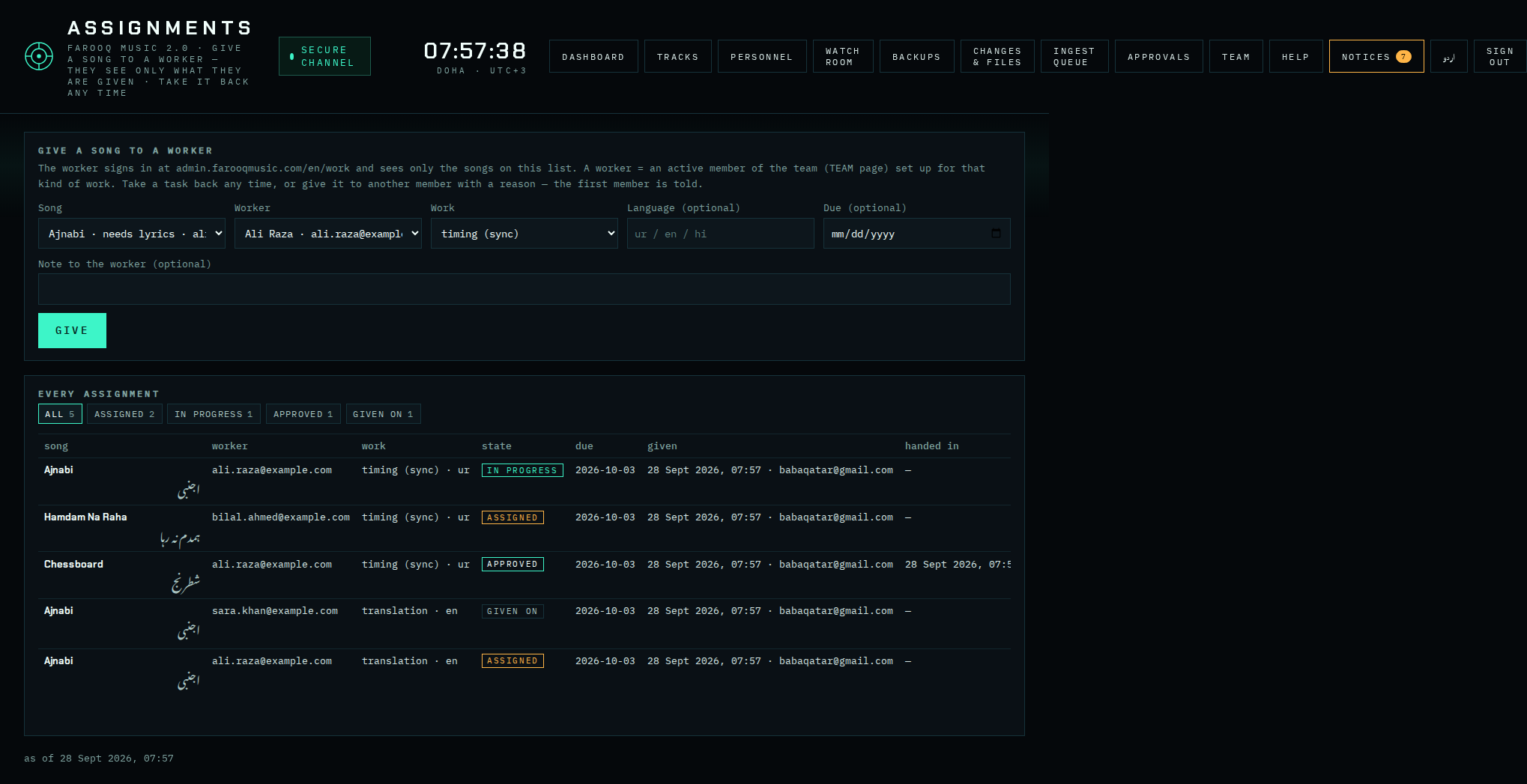
1 · Give a song
- Song — a song that still needs words or is ready for review.
- Worker — an active member of the team. Only members set up for the chosen kind of work are accepted (see Team & workers).
- Work — the kind: timing (sync), translation, story, review.
- Language (optional), Due date (optional), a note to the member (optional).
- GIVE. The member gets a notification on MY TASKS and an e-mail. The member's agreed rate for this kind of work is written on the task.
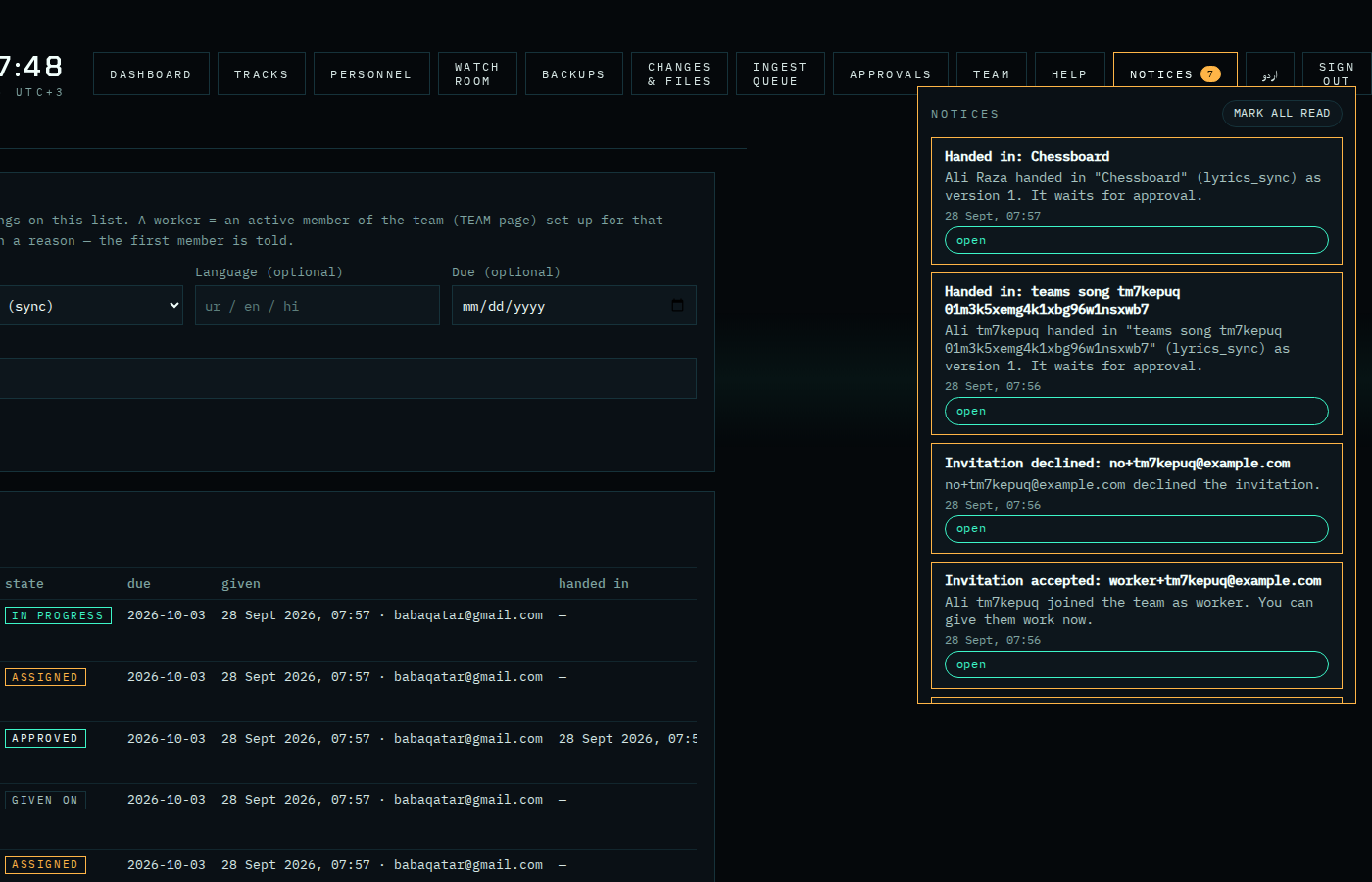
When the member opens the task, the list shows seen with the time next to given. When they hand it in, you (and the team leaders) get a notification and an e-mail — the bell NOTICES at the top of every admin page shows it; the task then waits on Approvals.
2 · Follow the tasks
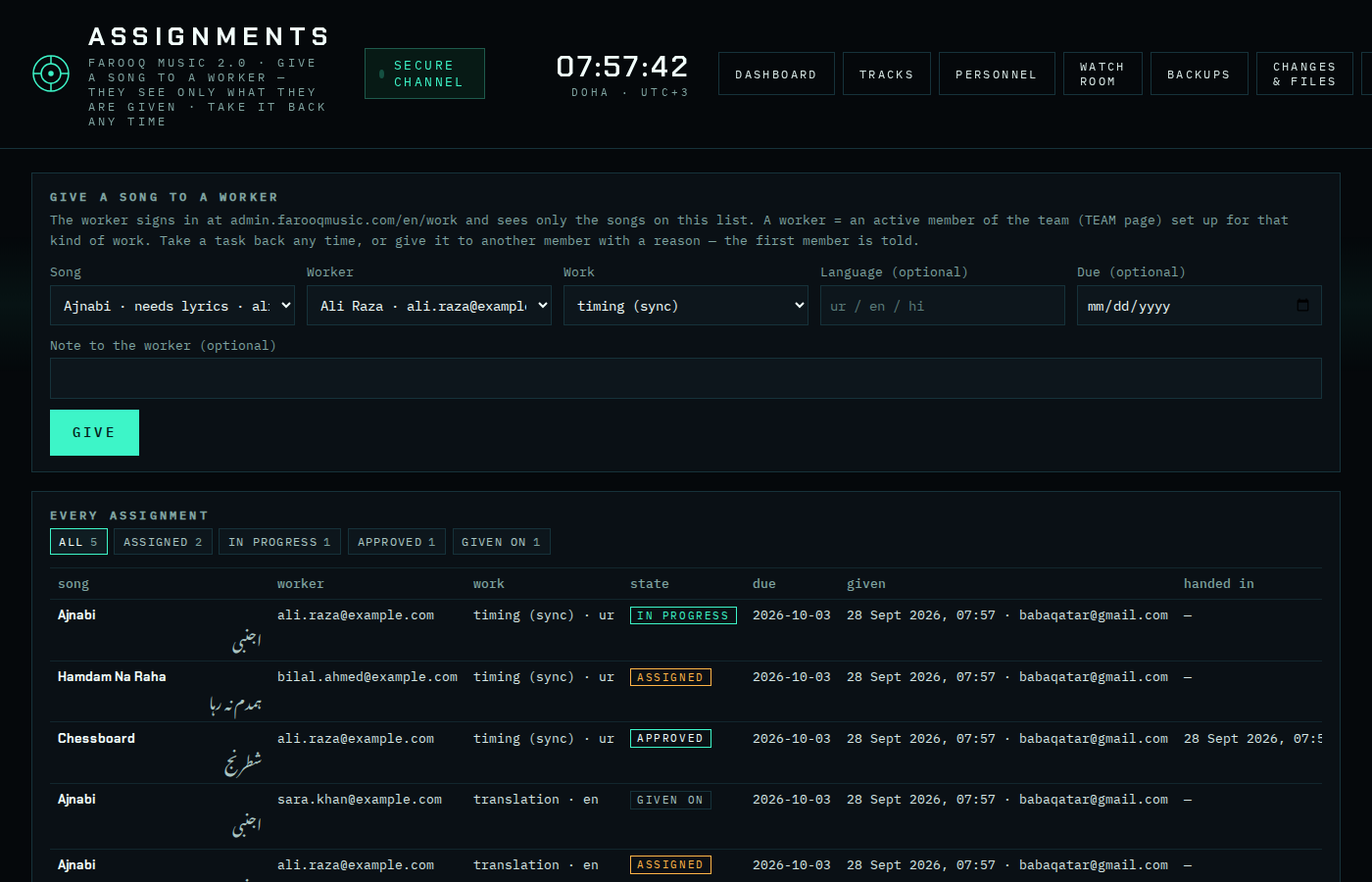
Every assignment with its state: ASSIGNED (given, not started), IN PROGRESS (the member saved something), HANDED IN (waiting for your approval), APPROVED, RETURNED (sent back to the member with a reason), GIVEN ON (taken back and given to another member), CANCELLED. The chips filter the list; the song name opens the words editor.
3 · Take a task back
take back cancels the task. The member is told (on their page and by mail) with the reason from the note field, if any.
4 · Give it to another member (same window)
When a member does not answer: press give to another, choose the other member (only members set up for the same kind of work are listed), write the reason (the first member reads it) and press MOVE.
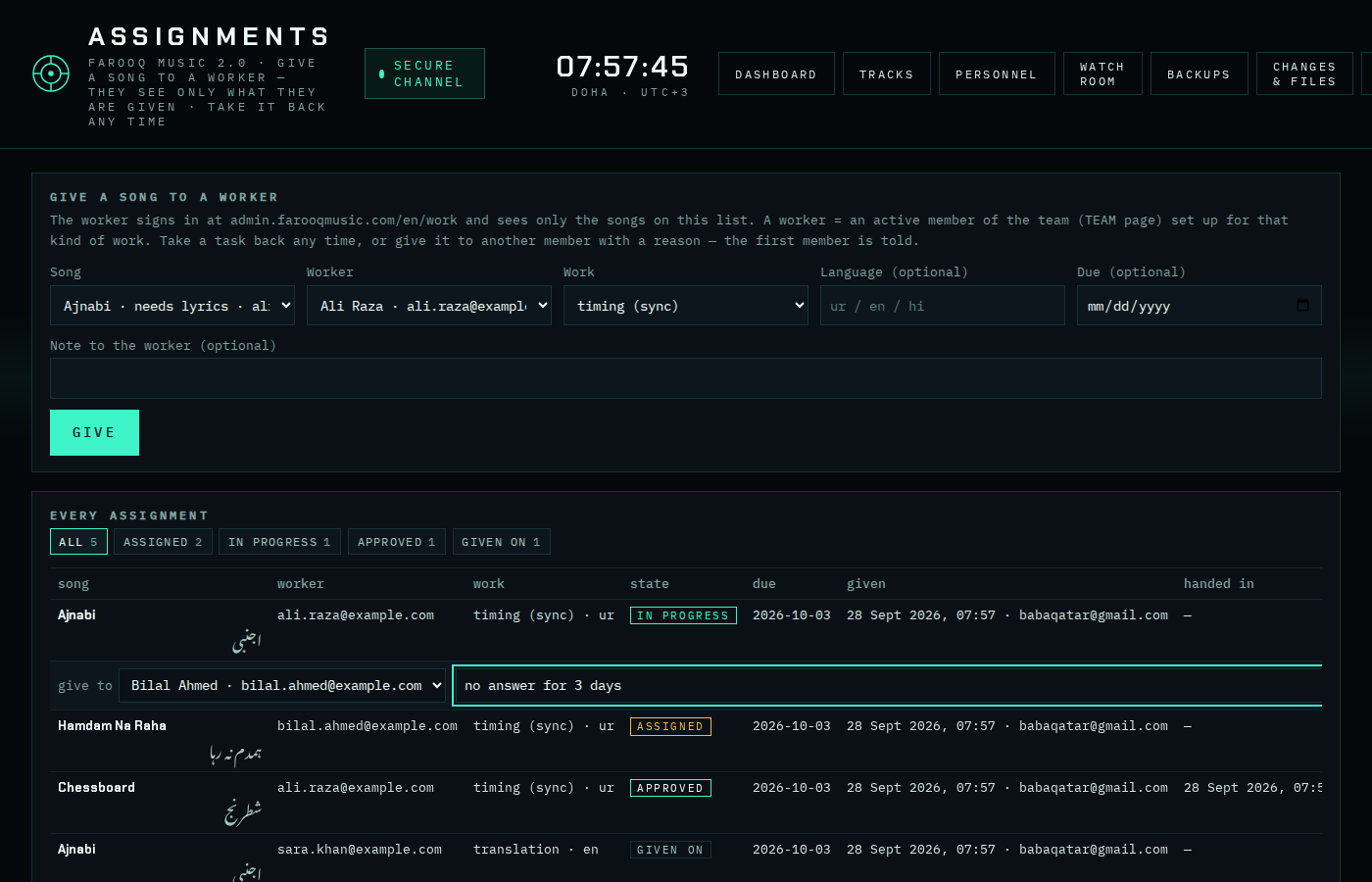
What happens: the old task becomes GIVEN ON (reason kept); a new task is made for the other member with the same song, kind of work, due date and notes, and their agreed rate; the first member gets "Task taken back" (page + mail, with the reason); the new member gets "New task". Nothing the first member saved is lost — it stays as a version on the song.