Getting started
Join and upload your first song
What it is. The road from "I made a song with AI" to "the world can hear it here, with its words". It takes about ten minutes. Everything on it is free.
Who can do it. An artist — an account the team has made an artist (by request or by invitation), on the Artist or Artist Pro plan.
Step 1 — Make your account
Press Sign in at the top. Use Google, or your e-mail and a password (a confirmation link comes to your mail). Your account starts as a Listener.
Step 2 — Become an artist
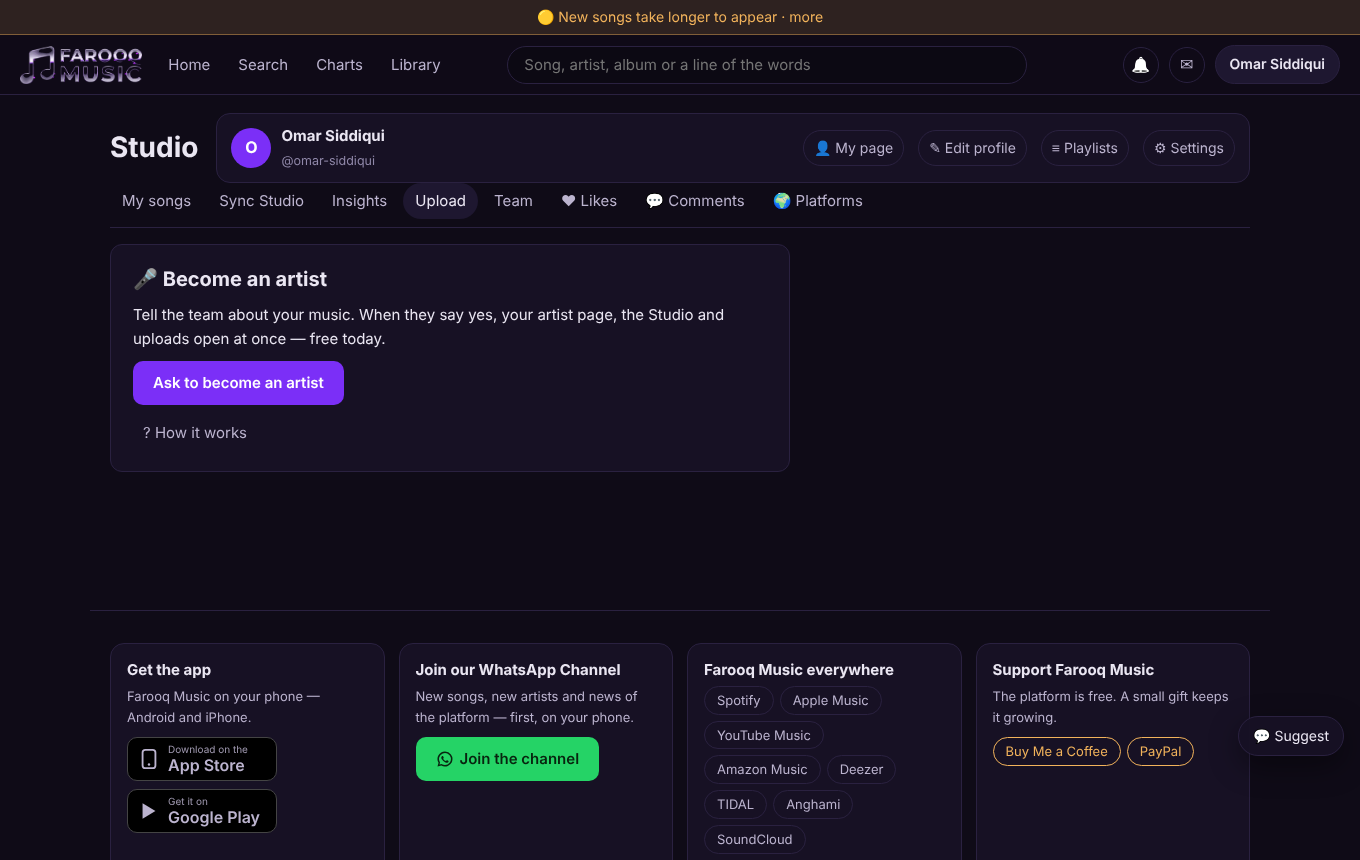
Open Membership (bottom of every page, or your account menu) and choose Artist. While the platform is young, the team decides who becomes an artist: a short form opens — your artist name, a few lines about your music, your links — and the answer comes by e-mail. Some artists get an invitation by e-mail instead: open its link and the Studio opens at once. When the answer is yes, Studio and Upload appear at the top. Everything is free today. (The article Become an artist explains every way.)
Step 3 — Set up your artist page
Open your profile and fill in: your artist name (and its Urdu or Arabic spelling if you like), a photo, a banner, a short bio and your country. Add your links — Spotify, Apple Music, YouTube, Instagram, your WhatsApp Channel (it gets its own "Join" card on your page), and PayPal or Buy Me a Coffee for the Support card. Up to 20 links.
Step 4 — Upload the song
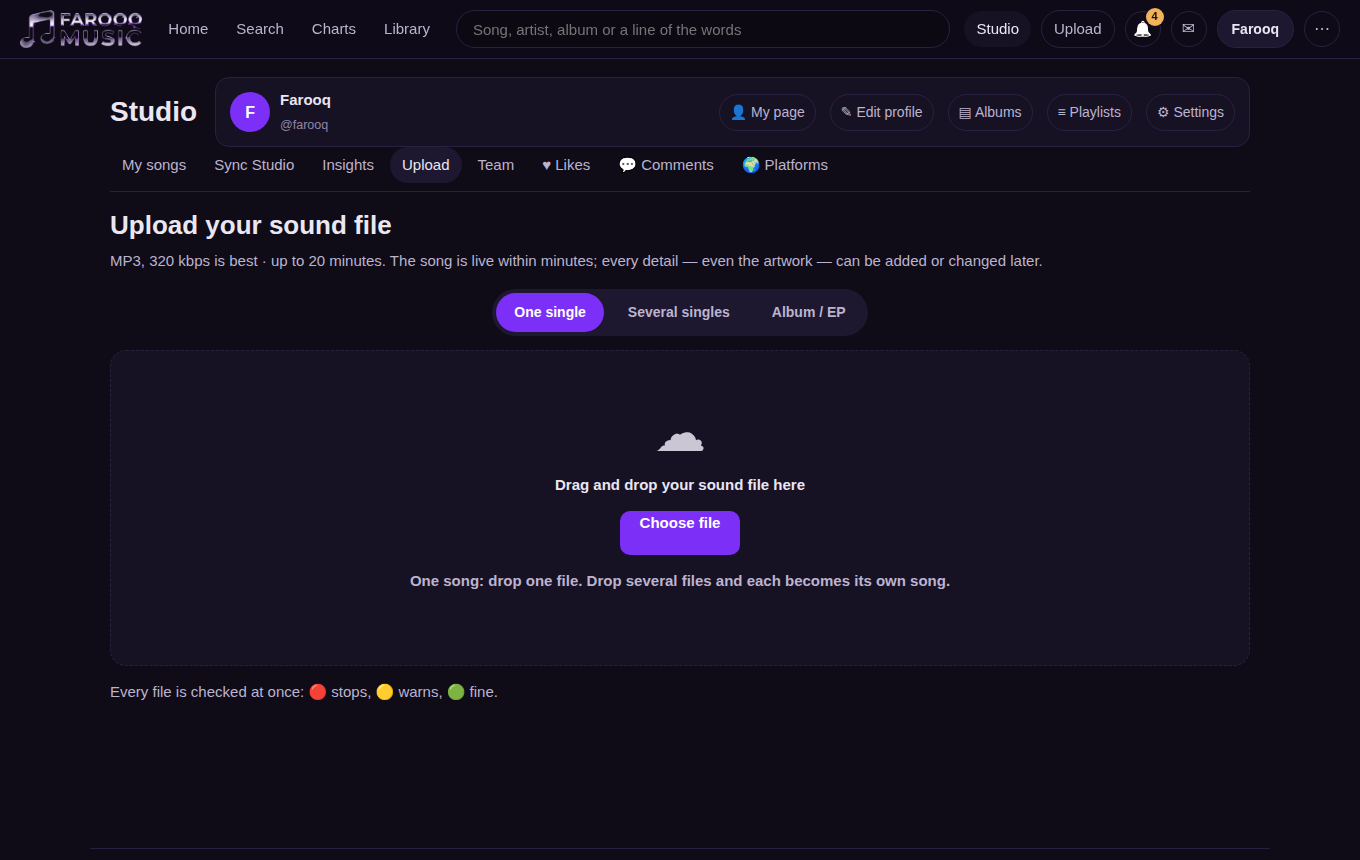
Press Upload. Choose the sound file — MP3 is fine. The file starts going up the moment you choose it, so you can type while it travels. Fill in:
- Title — in Roman letters; for Urdu, Punjabi, Hindi, Sindhi and Pashto the Urdu-script title is written for you (check it).
- Language and genre, and whether it was made with AI.
- Artwork — a square picture, at least 1000×1000.
- Words — paste the lyrics; you can time them later.
To upload several songs, use Several songs (up to 5 at once) or Album; afterwards the window lists each song so you can finish its details.
If the sound has a problem (too quiet, clipped, damaged), the platform tells you and asks for the WAV file. The WAV is kept as the master; the MP3 and AAC copies are made from it.
Step 5 — Time the words (optional, but loved)
Open the song in the Sync Studio (Studio → the song → Sync). Play it and tap at the start of each line. Listeners then see every line light up as it is sung.
Step 6 — Publish and share
Publish the song (now or at a date you choose). Use Share on the song page to send it to WhatsApp, Facebook and the rest. Your plays, likes and comments show in Studio; answer comments from there.
Good to know
- Your plan sets how many minutes of music you can upload: Artist 180 minutes, Artist Pro 1200 minutes (free today).
- You keep your rights. Upload only songs you have the right to share.
- Already on Spotify through DistroKid or another distributor? Read its report in Studio → Platforms to see all your stores in one place.