Accounts & security
Can't sign in? Check this first
What it is. Most sign-in problems you can fix yourself in a minute. Find the message you see below and follow its steps. Only when nothing here helps, write to us (the last part tells you how).
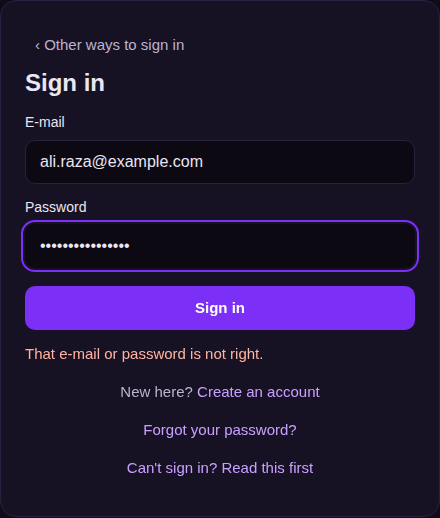
"That e-mail or password is not right"
- Check the e-mail address — no space at the start or end, the right spelling.
- Check that Caps Lock is off; the password is case-sensitive.
- Did you join with Google or Apple? Then press that button — your account may have no password at all.
- Still not working: press Forgot your password? under the form. A link to set a new password goes to your e-mail; it works once, for 60 minutes. Look in Spam too.
"Too many tries — wait a minute and try again"
For your safety, after 5 wrong tries the sign-in waits for up to 15 minutes. If someone else is trying your password from other places, your account also waits 15 minutes. Wait, then try again — or press Forgot your password?: setting a new password lifts the wait at once.
"Confirm your e-mail first"
- Open the mail Confirm your e-mail from Farooq Music and press its button (the link works for 24 hours). Look in Spam too.
- Link too old or mail not found? Sign in, open Settings, and press Send the confirmation link again.

"This account is not active"
The account was blocked by the team (for example after a report or a break of the rules), or it was closed. You cannot lift this yourself. Write to support (see the last part) from the account's own e-mail.
The 6-digit code is "not right" (two-step sign-in)
- Type the code your authenticator app shows now for Farooq Music — it changes every 30 seconds.
- The most common reason: the phone's clock. Set date and time to automatic on the phone, then try the new code.
- After 5 wrong codes the sign-in starts over; after 10 wrong codes in an hour the account waits a little. Sign in again.
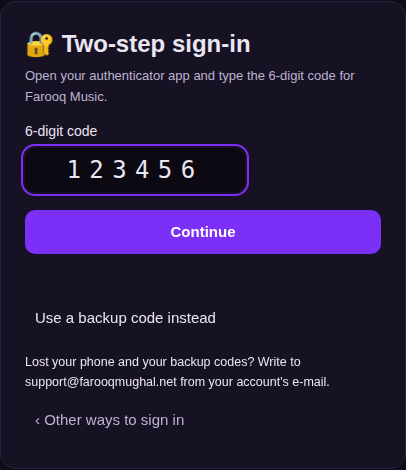
Lost your phone, or changed phones
- On the code step press Use a backup code instead and type one of the 10 backup codes you saved when you turned two-step on. Each works once.
- Signed in? Open Settings → Two-step sign-in, switch it off, and turn it on again with the new phone (you get new backup codes).
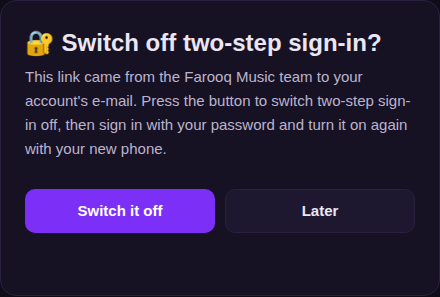
- Lost the phone and the backup codes? Write to support from the account's own e-mail. The team sends a one-time link to that same e-mail (works once, for 60 minutes). Open it and press Switch it off, then sign in and turn two-step on again.
Google or Apple sign-in does not finish
Allow pop-ups and cookies for farooqmusic.com, use the same Google or Apple account you joined with, and try again. If you see a message on the sign-in page after coming back, send us its exact words.
Still stuck? Write to us
Write to support@farooqmughal.net:
- from the e-mail address of your account — the team acts only on mail from that address;
- say which message you see (the exact words, or a screenshot), and when it started;
- say how you sign in (e-mail and password, Google or Apple).
Never send your password, a two-step code or a backup code — the team will never ask for them. Any change the team makes is also told to you on the site and by e-mail.